Pinia 상태 관리 설계 가이드
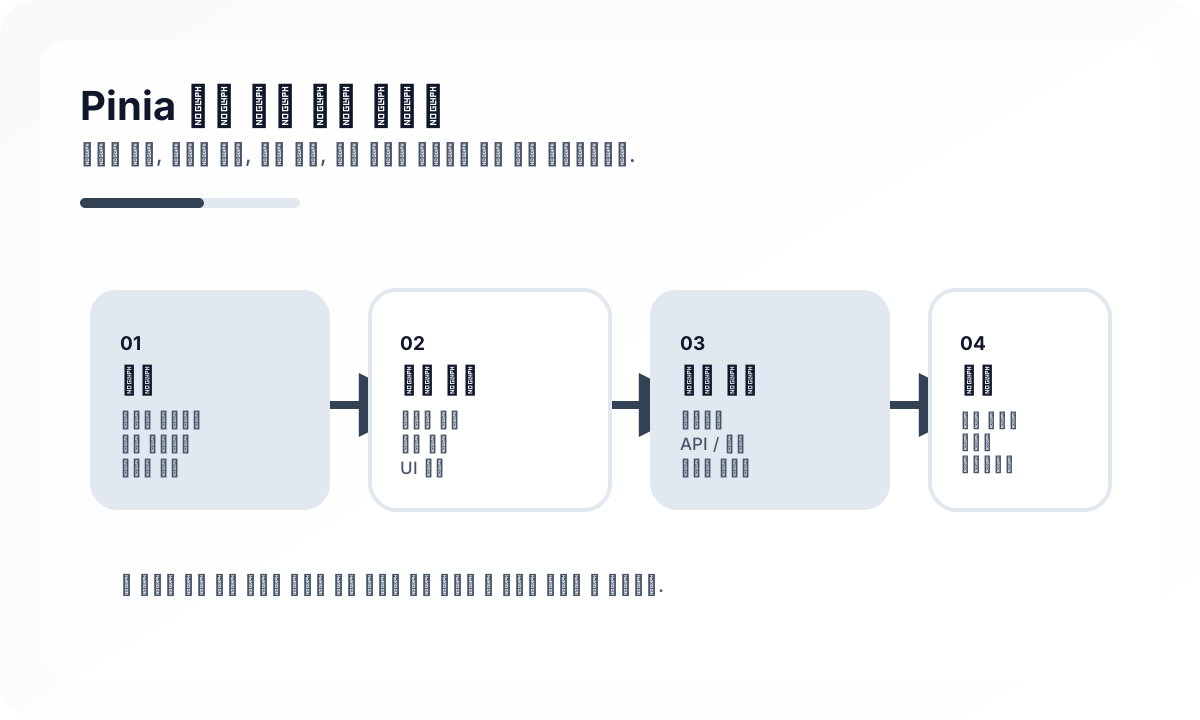
Pinia가 잘 맞는 영역
Pinia는 여러 화면에서 공유해야 하는 UI 상태나 인증 정보, 사용자 설정, 장바구니 같은 클라이언트 중심 상태에 잘 맞습니다. 반대로 API 응답 캐시, 재시도, stale 정책이 중요한 서버 상태는 Pinia보다 Vue Query류 도구가 더 적합할 수 있습니다.
핵심은 store를 “전역 변수”처럼 쓰지 않는 것입니다. Pinia는 전역 상태 저장소가 아니라, 공유 상태의 경계를 명확히 만드는 도구로 보는 편이 좋습니다.
store는 도메인 기준으로 나눈다
좋은 store 설계는 페이지 단위보다 도메인 단위에 가깝습니다. 인증, 주문, 사용자 설정처럼 책임이 분명한 단위로 나누면 의존성이 줄고 테스트도 쉬워집니다.
import { defineStore } from 'pinia'

export const useAuthStore = defineStore('auth', {
  state: () => ({
    user: null as null | { id: number; name: string },
    accessToken: '',
  }),
  getters: {
    isLoggedIn: (state) => Boolean(state.accessToken),
  },
  actions: {
    login(user: { id: number; name: string }, token: string) {
      this.user = user
      this.accessToken = token
    },
    logout() {
      this.user = null
      this.accessToken = ''
    },
  },
})
action은 비즈니스 의도를 드러내야 한다
Pinia action은 단순 setter 모음이 되기 쉽습니다. 하지만 실무에서는 setUser, setToken보다 login, refreshSession, applyCoupon처럼 비즈니스 의도가 드러나는 이름이 더 좋습니다. 그래야 컴포넌트가 store 내부 구조보다 행위에 의존하게 됩니다.
컴포넌트 상태와 전역 상태를 섞지 않기
모달 열림 여부, 폼 입력 중간값, hover 상태처럼 특정 화면 안에서만 쓰이는 값은 Pinia보다 컴포넌트 로컬 상태가 더 자연스럽습니다. 모든 상태를 store로 올리면 오히려 추적이 어려워지고 리렌더링 범위도 불필요하게 커집니다.
TypeScript와 함께 쓸 때의 장점
Pinia는 타입 추론이 좋아서 store 사용 경험이 깔끔합니다. 다만 API 응답 타입과 store 타입을 구분하는 습관은 필요합니다. 백엔드 응답 구조를 store 모델에 그대로 노출하면 프런트엔드의 표현 모델이 경직될 수 있습니다.
자주 하는 실수
가장 흔한 실수는 서버 데이터를 전부 Pinia에 캐싱하는 것입니다. 목록, 페이징, stale 정책, background refetch가 필요한 데이터는 전용 서버 상태 도구가 더 낫습니다. 또 다른 실수는 store끼리 서로 강하게 참조해 순환 의존을 만드는 것입니다.
마무리
Pinia는 간단해서 좋은 도구지만, 그 단순함 때문에 경계 설계를 쉽게 놓치기도 합니다. 공유 상태만 store에 올리고, action은 비즈니스 행위로 표현하고, 서버 상태와 UI 상태를 구분하면 Pinia는 작고 읽기 좋은 프런트엔드 구조를 만드는 데 큰 도움이 됩니다.
운영 환경에서 어려워지는 지점
- Pinia는 시작은 단순하지만 비즈니스 규칙, fetch 로직, UI 플래그가 한곳에 쌓이면 거대한 store가 숨은 결합 지점이 된다.
- 암묵적인 store 간 import는 순환 의존성과 책임 불분명 문제를 만든다.
- 앱이 항상 하나의 브라우저 탭에서만 실행된다고 가정하고 store를 쓰면 SSR과 hydration 경로가 어려워진다.
중요한 아키텍처 결정
- store는 페이지 이름이 아니라 도메인 책임과 기능 소유권 기준으로 나눈다.
- 비동기 오케스트레이션과 캐시 무효화는 명시적으로 설계해 action이 제2의 백엔드가 되지 않게 한다.
- 어떤 상태를 Pinia에 둘지, 어떤 상태를 라우트 파라미터, 로컬 컴포넌트 상태, 서버 캐시에 둘지 초기에 정한다.
실무 예시
건강한 store는 필드 단위 변경 헬퍼보다 의도 중심 action을 노출한다.
export const useCartStore = defineStore('cart', {
  state: () => ({ items: [] as Array<{ sku: string; qty: number }> }),
  actions: {
    addItem(sku: string, qty: number) {
      const existing = this.items.find((item) => item.sku === sku)
      if (existing) existing.qty += qty
      else this.items.push({ sku, qty })
    },
    removeItem(sku: string) {
      this.items = this.items.filter((item) => item.sku !== sku)
    },
  },
})
피해야 할 안티패턴
- 모든 상태의 기본 목적지를 Pinia로 보는 것.
- 내부 데이터를 넓게 writable로 열어두고 invariant 유지를 컴포넌트에 맡기는 것.
- API 재시도, 낙관적 업데이트, 롤백 규칙을 테스트 전략 없이 action 안에 숨기는 것.
운영 체크리스트
- 몇 스프린트마다 store 크기와 의존 방향을 점검한다.
- 중요 action은 UI 클릭이 아니라 도메인 로직 단위로 테스트한다.
- 공유 store의 SSR 직렬화와 hydration 동작을 확인한다.
- Pinia와 데이터 패칭 라이브러리 사이의 중복 캐시 상태를 감시한다.
최종 판단
Pinia는 공유 클라이언트 상태를 명확한 소유권으로 관리할 때 강하다. 서버 캐시, UI 상태, 도메인 규칙을 경계 없이 빨아들이기 시작하면 위험해진다.
Continue Reading
다음으로 읽기 좋은 글
Vue.js 아키텍처 설계 가이드
Vue.js 프로젝트를 단순 컴포넌트 모음이 아니라 유지보수 가능한 프런트엔드 시스템으로 설계하는 방법을 정리합니다. 상태 경계, 라우팅, 데이터 흐름, 폴더 구조, 성능과 협업 관점까지 실무 중심으로 다룹니다.
🖥️ FrontendVue 컴포넌트 설계 원칙 가이드
Vue 애플리케이션에서 컴포넌트 책임, 재사용 경계, props/events 설계, 슬롯 전략을 실무 관점에서 정리합니다.
📈 최신 동향React Foundation 이 엔지니어링 팀에 의미하는 것
React Foundation 소식이 단순 거버넌스 뉴스가 아니라 프레임워크 생태계의 장기 예측 가능성에 어떤 의미를 갖는지 정리한 글입니다.
🧪 TestVue Testing Library 실전 설계 가이드
Vue Testing Library와 Vitest로 컴포넌트를 사용자 관점에서 테스트하는 방법을 정리합니다. 렌더링 결과, 이벤트, 비동기 UI, Pinia/Router 연동, 과도한 구현 의존을 피하는 기준까지 다룹니다.
다음 탐색