TanStack Query(React Query)로 서버 상태 관리하기
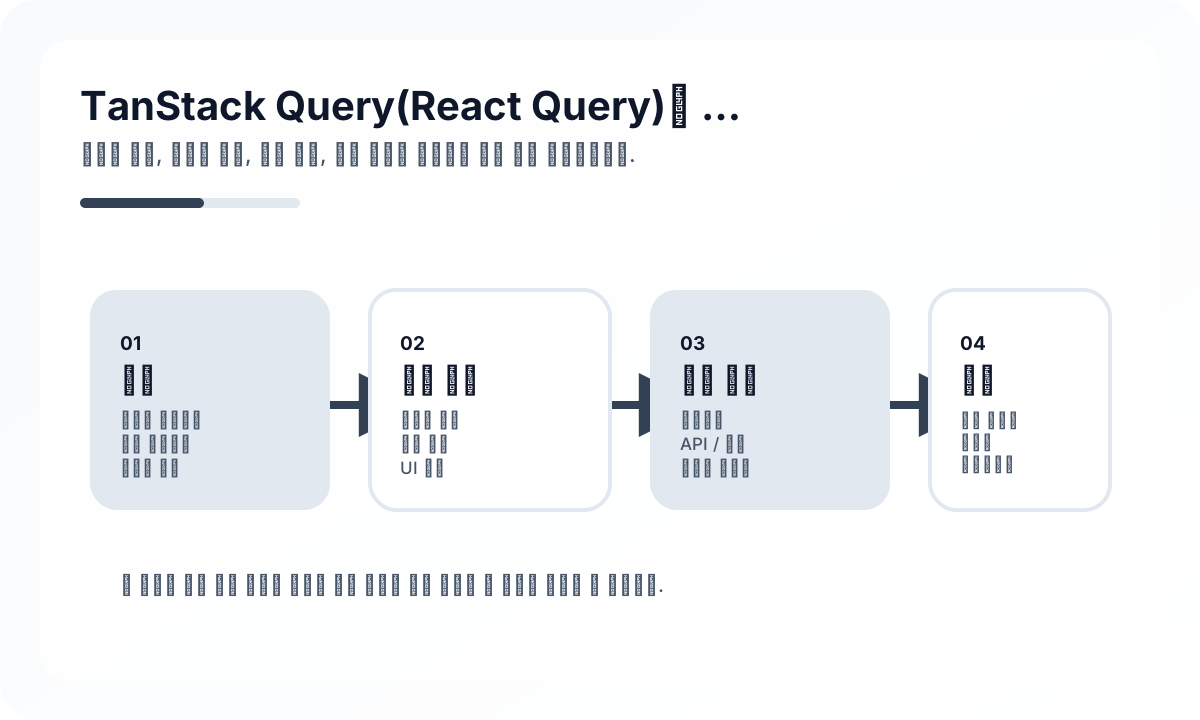
프론트엔드에서 가장 자주 꼬이는 부분 중 하나가 서버 상태와 클라이언트 상태를 같은 방식으로 다루는 것입니다. TanStack Query는 이 둘을 분리해서 생각하게 만듭니다.
- 서버 상태: 원본은 서버에 있고, 클라이언트는 캐시된 복사본을 본다
- 클라이언트 상태: 원본이 브라우저 메모리에 있다
이 차이를 이해하면 왜 TanStack Query가 필요한지 훨씬 선명해집니다.
왜 useEffect + useState 방식이 금방 한계에 부딪히는가
단순 fetch는 직접 구현할 수 있습니다.
function PostList() {
  const [data, setData] = useState<Post[]>([])
  const [isLoading, setIsLoading] = useState(true)
  const [error, setError] = useState<Error | null>(null)

  useEffect(() => {
    fetch('/api/posts')
      .then((res) => res.json())
      .then(setData)
      .catch(setError)
      .finally(() => setIsLoading(false))
  }, [])
}
문제는 실제 앱에서는 여기서 바로 복잡도가 커진다는 점입니다.
- 중복 요청 방지
- 탭 전환 후 재검증
- 에러 재시도
- 백그라운드 갱신
- 캐시 재사용
- 변경 후 관련 목록 무효화
TanStack Query는 결국 이 반복 문제들을 체계적으로 다루기 위해 등장한 도구입니다.
QueryClient는 캐시 정책의 중심이다
import { QueryClient, QueryClientProvider } from '@tanstack/react-query'

const queryClient = new QueryClient({
  defaultOptions: {
    queries: {
      staleTime: 1000 * 60 * 5,
      retry: 2,
    },
  },
})
여기서 중요한 건 staleTime 같은 옵션을 외우는 게 아니라, 우리 앱에서 데이터가 얼마나 빨리 낡는가를 판단하는 것입니다.
- 공지사항 목록: 수분 단위 stale 허용 가능
- 환율/재고/실시간 가격: stale 허용 폭이 훨씬 작음
- 사용자 프로필: 수정 직후 일관성이 중요함
즉, QueryClient 설정은 성능 튜닝이 아니라 데이터 신선도 정책에 가깝습니다.
useQuery는 요청 함수가 아니라 서버 상태 선언이다
import { useQuery } from '@tanstack/react-query'

async function fetchPosts() {
  const res = await fetch('/api/posts')
  if (!res.ok) throw new Error('Failed to fetch')
  return res.json()
}

function PostList() {
  const { data, isLoading, isError, error } = useQuery({
    queryKey: ['posts'],
    queryFn: fetchPosts,
  })

  if (isLoading) return <p>로딩 중...</p>
  if (isError) return <p>오류: {error.message}</p>

  return (
    <ul>
      {data.map((post: Post) => (
        <li key={post.id}>{post.title}</li>
      ))}
    </ul>
  )
}
이 코드를 선언적으로 읽으면 좋습니다.
['posts']라는 서버 상태를 구독한다- 이 상태는
fetchPosts로 가져온다 - 로딩, 에러, 성공 상태를 라이브러리가 관리한다
즉, useQuery는 요청 실행 코드라기보다 서버 상태 구독 선언에 가깝습니다.
queryKey 설계가 캐시 품질을 결정한다
useQuery({ queryKey: ['posts'], queryFn: fetchPosts })

useQuery({
  queryKey: ['posts', postId],
  queryFn: () => fetchPost(postId),
})

useQuery({
  queryKey: ['posts', { status: 'published', page: 1 }],
  queryFn: () => fetchFilteredPosts({ status: 'published', page: 1 }),
})queryKey는 단순한 식별자가 아니라 캐시 모델입니다. 좋은 설계 기준은 이렇습니다.
- 리소스 이름을 먼저 둔다
- 상세/목록/필터를 구조적으로 구분한다
- 같은 의미의 요청은 같은 키가 나오게 한다
- 너무 많은 구현 세부사항을 키에 넣지 않는다
팀 차원에서 query key factory를 두는 경우도 많습니다. 캐시 일관성을 유지하기 쉬워지기 때문입니다.
Mutation은 서버 변경과 캐시 무효화 전략을 함께 설계해야 한다
import { useMutation, useQueryClient } from '@tanstack/react-query'

function CreatePost() {
  const queryClient = useQueryClient()

  const mutation = useMutation({
    mutationFn: (newPost: { title: string; content: string }) =>
      fetch('/api/posts', {
        method: 'POST',
        headers: { 'Content-Type': 'application/json' },
        body: JSON.stringify(newPost),
      }).then((res) => res.json()),
    onSuccess: () => {
      queryClient.invalidateQueries({ queryKey: ['posts'] })
    },
  })

  return (
    <button
      onClick={() => mutation.mutate({ title: '새 글', content: '내용' })}
      disabled={mutation.isPending}
    >
      {mutation.isPending ? '저장 중...' : '저장'}
    </button>
  )
}
TanStack Query에서 Mutation의 핵심은 요청 자체보다도, 변경 이후 어떤 캐시를 어떻게 갱신할 것인가입니다. 이 전략을 명확히 하지 않으면 UI는 금방 엇박자가 납니다.
invalidateQueries는 편리하지만 무조건 정답은 아니다
무효화는 가장 쉬운 방법이지만, 항상 가장 효율적인 방법은 아닙니다.
- 목록 전체를 다시 받아도 괜찮은가
- 특정 상세 캐시만 직접 갱신하는 편이 나은가
- 응답 payload로 캐시를 즉시 패치할 수 있는가
작은 앱에서는 invalidate로 충분하지만, 데이터 규모와 요청 비용이 커질수록 더 정밀한 캐시 업데이트가 필요해집니다.
낙관적 업데이트는 UX를 좋게 만들지만 롤백 설계가 중요하다
const mutation = useMutation({
  mutationFn: updatePost,
  onMutate: async (updatedPost: Post) => {
    await queryClient.cancelQueries({ queryKey: ['posts', updatedPost.id] })

    const previous = queryClient.getQueryData<Post>(['posts', updatedPost.id])
    queryClient.setQueryData(['posts', updatedPost.id], updatedPost)

    return { previous }
  },
  onError: (_error, updatedPost, context) => {
    queryClient.setQueryData(['posts', updatedPost.id], context?.previous)
  },
})
낙관적 업데이트는 사용자에게 빠른 반응성을 주지만, 반드시 아래를 함께 생각해야 합니다.
- 실패 시 어떤 상태로 되돌릴 것인가
- 목록과 상세를 모두 맞춰야 하는가
- 서버가 실제로는 다른 값을 반환할 수 있는가
즉, optimistic update는 단순 UX 트릭이 아니라 일시적으로 클라이언트가 진실을 선점하는 전략입니다.
staleTime과 refetch 정책은 데이터 의미에 맞춰야 한다
TanStack Query를 잘못 쓰면 모든 쿼리에 같은 staleTime을 주게 됩니다. 하지만 실제로는 데이터마다 생명주기가 다릅니다.
- 거의 안 바뀌는 reference data: 길게 캐시해도 됨
- 자주 바뀌는 피드/목록: 짧은 staleTime이 나을 수 있음
- 수정 직후 정확성이 중요한 데이터: 명시적 invalidation 필요
즉, 성능 최적화 관점만으로 staleTime을 잡기보다 도메인 데이터의 신선도 요구사항으로 결정하는 편이 좋습니다.
TanStack Query가 상태 관리 라이브러리를 대체하는 것은 아니다
비교를 단순화하면 이렇게 볼 수 있습니다.
| 항목 | 일반 상태 관리 | TanStack Query |
|---|---|---|
| 대상 | 클라이언트 상태 | 서버 상태 |
| 원본 위치 | 브라우저 | 서버 |
| 주 관심사 | UI 흐름 | 캐시, 동기화, 재검증 |
| 대표 문제 | 모달, 탭, 드래그 상태 | 목록/상세/변경 후 일관성 |
즉, TanStack Query는 Zustand, Redux, Jotai 같은 도구를 완전히 대체하기보다, 서버 상태 영역을 별도로 분리해서 훨씬 잘 다루게 해주는 도구에 가깝습니다.
실무에서 자주 하는 실수
- queryKey를 일관성 없이 설계한다
- 모든 변경 후 무조건 전체 invalidate를 날린다
- 서버 상태를 클라이언트 전역 store에 또 복제한다
- staleTime을 의미 없이 크게 또는 작게 잡는다
- optimistic update는 넣고 rollback 시나리오는 생각하지 않는다
특히 서버 데이터를 전역 상태에 다시 넣는 패턴은 TanStack Query 도입 효과를 많이 깎아먹습니다.
언제 TanStack Query가 특히 강한가
- CRUD 중심 백오피스/대시보드
- 서버 데이터 중심의 리스트/상세 화면
- 재시도, 백그라운드 갱신, 캐시 재사용이 중요한 앱
- 여러 화면에서 같은 서버 데이터를 재사용하는 앱
반대로 로컬 인터랙션 중심의 단순 앱이라면 도입 체감이 상대적으로 작을 수 있습니다.
마무리
TanStack Query의 핵심은 fetch 코드 몇 줄을 줄여주는 데 있지 않습니다. 더 본질적으로는 서버 상태를 클라이언트 상태와 다른 문제로 취급하게 만들어 준다는 점에 있습니다.
이 관점이 서면 queryKey, staleTime, invalidation, optimistic update가 모두 하나의 그림으로 연결됩니다. 결국 좋은 TanStack Query 사용법은 API 호출법을 아는 것이 아니라, “이 데이터는 누구의 진실이고 얼마나 빨리 낡는가”를 정확히 구분하는 데서 시작합니다.
운영 환경에서 어려워지는 지점
- TanStack Query의 강점은 서버 상태와 UI 상태를 분리하는 데 있지만, 캐시가 제2의 전역 store가 되면 그 이점은 사라진다.
- 앱에 관련 화면이 늘어나는 순간 query key, invalidation 정책, mutation 흐름은 아키텍처 문제가 된다.
- 성능 문제는 라이브러리보다 캐시 오용에서 더 자주 나온다.
중요한 아키텍처 결정
- query key는 컴포넌트 이름이 아니라 리소스 식별자와 필터 범위 기준으로 설계한다.
- mutation 부작용은 명시적으로 설계한다. 무엇을 refetch할지, 무엇을 낙관적으로 갱신할지, 무엇을 롤백할지 정한다.
- stale time과 GC 정책은 데이터 신선도 요구에 맞춰 의도적으로 정한다.
실무 예시
안정적인 query 모델은 리소스 계약을 분명히 설명하는 key에서 시작한다.
useQuery({
  queryKey: ['orders', { status, page }],
  queryFn: () => fetchOrders({ status, page }),
  staleTime: 30_000,
})
피해야 할 안티패턴
- 같은 리소스를 화면마다 다른 key 형태로 사용하는 것.
- 강한 이유 없이 query 데이터를 다른 전역 store로 복제하는 것.
- 처음부터 좁은 소유권을 설계하지 않아 넓은 invalidation만 남는 것.
운영 체크리스트
- 주요 리소스의 key 규칙을 문서화한다.
- 실패 상황에서 낙관적 업데이트와 롤백 경로를 리뷰한다.
- 중복 fetch와 stale 화면 사고를 측정한다.
- suspense, retry, error boundary 동작을 일관되게 유지한다.
최종 판단
TanStack Query는 규율 있는 서버 상태 인프라로 다룰 때 가장 강하다. 모든 상태를 담는 만능 계층처럼 쓰면 빠르게 약해진다.
Continue Reading
다음으로 읽기 좋은 글
스트리밍 UI의 실패 복구 패턴
부분 렌더링, 서버 스트리밍, AI 응답 UI에서 중간 실패를 사용자 경험으로 흡수하는 설계 방법을 정리합니다.
🖥️ FrontendOptimistic UI의 Reconciliation 경계
낙관적 UI는 빠르게 느껴지지만, 서버 진실과 충돌하는 순간 복잡성이 드러납니다. 어디까지 낙관적으로 처리할지 경계를 정리합니다.
📈 최신 동향React Foundation 이 엔지니어링 팀에 의미하는 것
React Foundation 소식이 단순 거버넌스 뉴스가 아니라 프레임워크 생태계의 장기 예측 가능성에 어떤 의미를 갖는지 정리한 글입니다.
🧪 TestReact Testing Library 실전 설계 가이드
React Testing Library를 사용자 중심 테스트 도구로 활용하는 방법을 정리합니다. query 우선순위, 상호작용 테스트, 비동기 UI, provider wrapper, 과도한 mocking 회피까지 실무 기준으로 다룹니다.
다음 탐색