Webpack to Vite Migration Guide
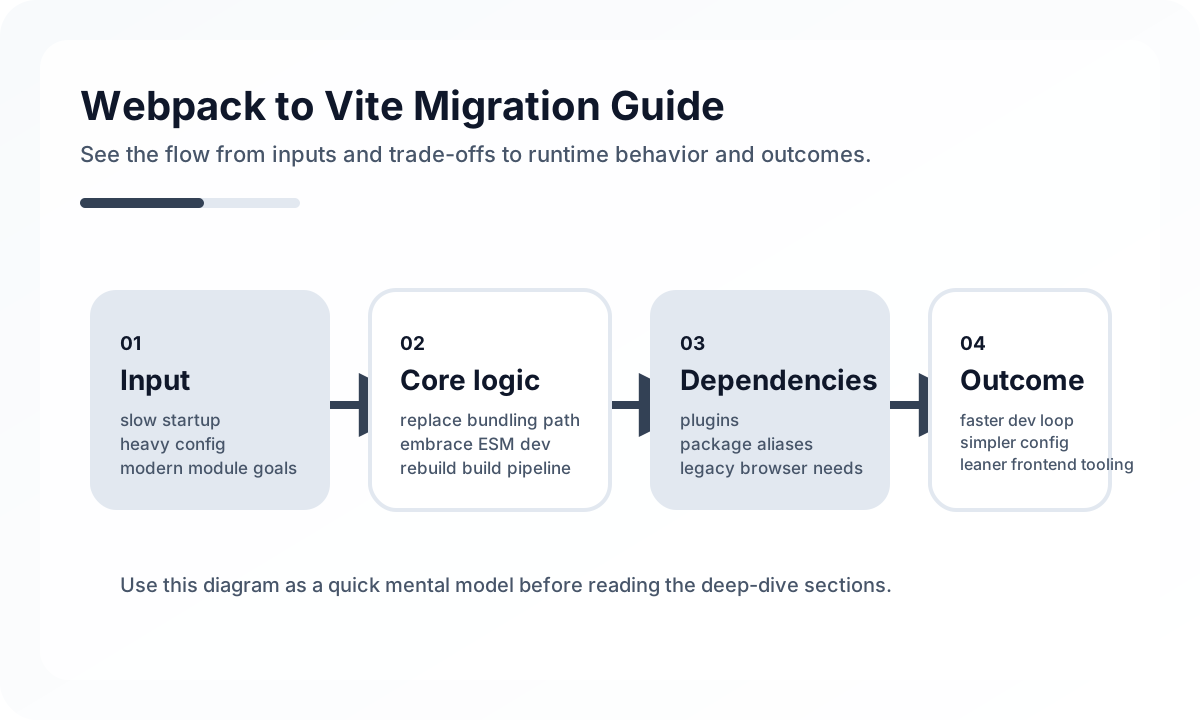
The point is not simply to make local startup faster. It is to simplify frontend build maintenance without breaking production reality.
Start by Inventorying What Webpack Is Actually Doing
Before migrating, list what the current Webpack setup owns:
- aliases
- environment variables
- plugin-based transforms
- asset handling
- CSS pipeline behavior
- code splitting assumptions
- test or Storybook integration points
Many migrations fail because teams translate config syntax without first identifying which pieces are truly essential and which are historical leftovers.
Vite Changes the Development Model First
The most visible benefit is faster local feedback, but that benefit comes from a different mental model. Vite is not just “Webpack with better speed.” It changes how modules are served and transformed during development.
That means teams should expect differences around:
- startup and rebuild behavior
- plugin compatibility
- module resolution assumptions
- environment access
- treatment of
index.html
Migration succeeds faster when these differences are accepted as model changes rather than hidden as compatibility hacks.
Environment Variables Are a Frequent Breaking Point
One of the most common changes is environment access.
// before
process.env.REACT_APP_API_URL

// after
import.meta.env.VITE_API_URL
This looks small, but it usually touches build assumptions, typing, client/server boundaries, and secret-handling discipline. Teams should treat env migration as a boundary review, not a search-and-replace task.
Plugin Inventory Should Include Deletion, Not Only Replacement
A weak migration pattern is trying to find a one-to-one Vite equivalent for every Webpack plugin. Often, some plugins exist only because the old build model needed more ceremony.
A healthier approach is:
- identify what behavior each plugin provides
- decide whether Vite already covers it
- replace only what remains necessary
- remove anything that no longer earns its complexity
Migration quality improves when the end state is simpler than the start state.
Production Validation Matters More Than Local Excitement
Teams often celebrate fast local dev and stop too early. The real migration is incomplete until the production path is validated:
- build output correctness
- asset paths
- lazy loading behavior
- sourcemaps
- test runner compatibility
- CI caching and deployment steps
A faster dev server is great. A broken production bundle is not a worthwhile trade.
Common Failure Modes
- focusing only on startup speed
- replacing config syntax without auditing plugin behavior
- underestimating environment and asset boundary changes
- assuming local success proves production readiness
- carrying old build complexity into the new system unchanged
The best migration is not the most faithful translation. It is the clearest simplification that still preserves correctness.
Team Checklist
- Has the current Webpack setup been inventoried before migration?
- Are env-variable changes treated as architecture changes, not just syntax changes?
- Are plugins being justified individually instead of copied mechanically?
- Has production build and deploy behavior been tested explicitly?
- Is the migrated setup simpler to own than the original one?
Closing Judgment
Migrating from Webpack to Vite is usually worthwhile when the team treats it as a model change instead of a text conversion exercise. The real win is not only speed. It is a simpler build system with lower long-term maintenance cost and faster development feedback.
Continue Reading
Related posts
Complete ESLint + Prettier Setup Guide
A practical guide to separating linting and formatting concerns across React, Vue, and TypeScript projects, with team-level rules for local autofix and CI enforcement.
🔧 ToolsDesigning Search Architecture for Engineering Docs
As documentation grows, the problem shifts from writing to finding. This guide explains how to design search-friendly engineering documentation.
🖥️ FrontendMicro Frontends: Applying Module Federation in Production
This guide explains micro frontends from the perspective of team boundaries and deployment independence rather than a technical demo. It covers Module Federation structure, shared dependencies, runtime loading, state sharing, operational pitfalls, and adoption criteria.
💬 LanguageTypeScript Utility Types: A Practical Guide
A production-focused guide to TypeScript utility types. Learn how to model DTOs, update payloads, selectors, and derived types without making your type layer harder to read.
Next Path