Pinia State Management Design Guide
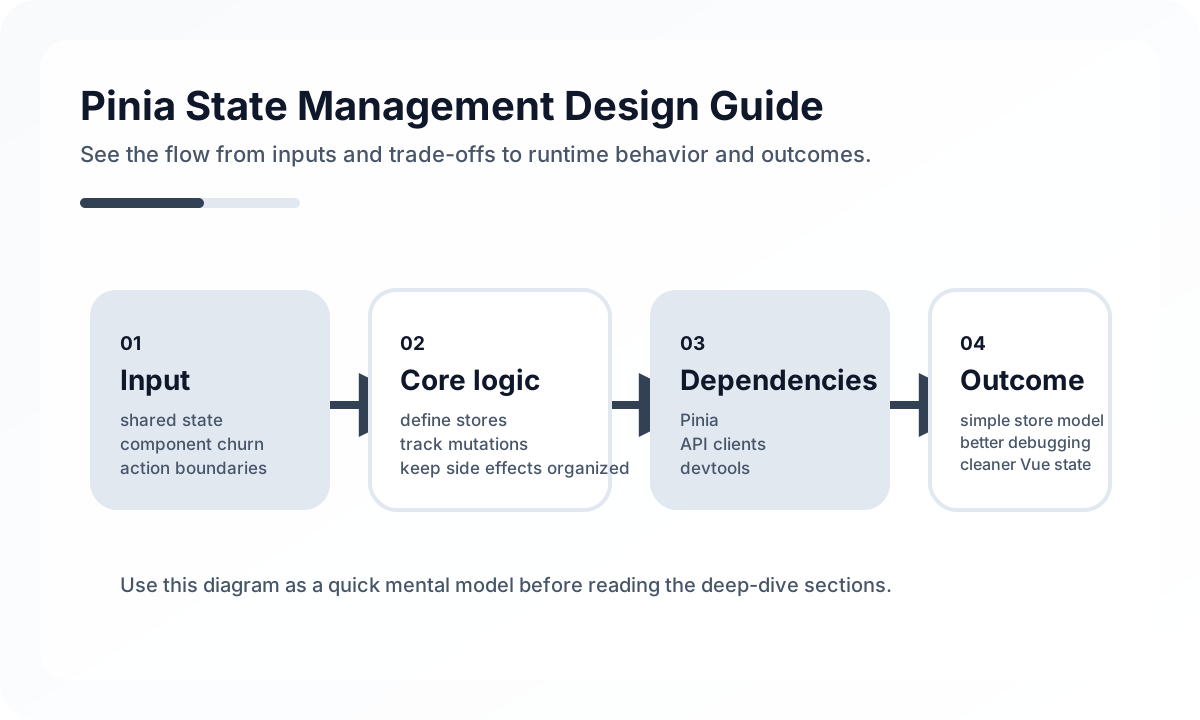
Where Pinia fits well
Pinia is a good fit for client-centered state that must be shared across screens, such as UI-wide state, authentication, user preferences, or a shopping cart. By contrast, server state with important caching, retry, and stale policies is often a better fit for a Vue Query-style tool than for Pinia.
The key is not to use a store like a global variable. It is better to think of Pinia as a tool for clarifying the boundary of shared state.
Split stores by domain
A good store design is closer to domain boundaries than to page boundaries. Splitting stores into responsibilities like authentication, orders, or user preferences reduces dependency complexity and makes testing easier.
import { defineStore } from 'pinia'

export const useAuthStore = defineStore('auth', {
  state: () => ({
    user: null as null | { id: number; name: string },
    accessToken: '',
  }),
  getters: {
    isLoggedIn: (state) => Boolean(state.accessToken),
  },
  actions: {
    login(user: { id: number; name: string }, token: string) {
      this.user = user
      this.accessToken = token
    },
    logout() {
      this.user = null
      this.accessToken = ''
    },
  },
})
Actions should express business intent
Pinia actions often drift into being a bag of setters. In production code, names like login, refreshSession, and applyCoupon are better than setUser or setToken because they express business behavior. That way, components depend on intent instead of store internals.
Do not mix component state and global state
Things like modal open state, in-progress form input, or hover state are usually better kept as component-local state than moved into Pinia. If every state change gets pushed into a store, tracking gets harder and rerender scope grows for no good reason.
Benefits when used with TypeScript
Pinia offers strong type inference, which keeps the developer experience clean. Even so, it is important to distinguish API response types from store types. If the backend response model leaks directly into the store, the frontend presentation model becomes rigid.
Common mistakes
The most common mistake is caching all server data in Pinia. Data that needs pagination, stale policies, background refetching, or list consistency is usually better handled by a dedicated server-state tool. Another common issue is creating strong cross-store references until circular dependencies appear.
Wrap-up
Pinia is good because it is simple, but that same simplicity makes it easy to ignore boundary design. If you keep only shared state in the store, express actions in terms of business behavior, and separate server state from UI state, Pinia becomes a strong tool for building small, readable frontend structures.
What Gets Hard in Production
- Pinia stays simple at the start, but large stores become hidden coupling points when business rules, fetch logic, and UI flags accumulate together.
- Implicit cross-store imports can create circular dependency pressure and unclear ownership.
- SSR and hydration paths get harder when stores are written as if the app only ever runs in one browser tab.
Architecture Decisions That Matter
- Design stores around domain capability and ownership, not around page names.
- Keep async orchestration and cache invalidation explicit so store actions do not become a second backend.
- Decide early which state belongs in Pinia and which should remain in route params, local component state, or server cache.
Practical Example
A healthy store exposes intent-driven actions instead of field-by-field mutation helpers:
export const useCartStore = defineStore('cart', {
  state: () => ({ items: [] as Array<{ sku: string; qty: number }> }),
  actions: {
    addItem(sku: string, qty: number) {
      const existing = this.items.find((item) => item.sku === sku)
      if (existing) existing.qty += qty
      else this.items.push({ sku, qty })
    },
    removeItem(sku: string) {
      this.items = this.items.filter((item) => item.sku !== sku)
    },
  },
})
Anti-Patterns to Avoid
- Treating Pinia as the default destination for every piece of state.
- Exposing writable internals broadly and relying on components to preserve invariants.
- Hiding API retries, optimistic updates, and rollback rules inside ad hoc actions with no testing strategy.
Operational Checklist
- Review store size and dependency direction every few sprints.
- Test critical actions as domain logic, not just through UI clicks.
- Check SSR serialization and hydration behavior for shared stores.
- Watch for duplicated cache state between Pinia and data-fetching libraries.
Final Judgment
Pinia is excellent when it manages shared client state with clear ownership. It becomes risky when the store layer quietly absorbs server cache, UI state, and domain rules without boundaries.
Continue Reading
Related posts
Vue.js Architecture Design Guide
This guide explains how to design a Vue.js project as a maintainable frontend system rather than just a collection of components, covering state boundaries, routing, data flow, folder structure, performance, and collaboration.
🖥️ FrontendVue Component Design Principles Guide
This guide covers component responsibility, reuse boundaries, props and events design, and slot strategy in Vue applications from a practical engineering perspective.
📈 TrendsWhat the React Foundation Means for Engineering Teams
Why the React Foundation matters beyond governance news, and how it may affect framework coordination, ecosystem stewardship, and long-term frontend strategy.
🧪 TestPractical Vue Testing Library Design Guide
How to test Vue components with Vue Testing Library and Vitest from the user's point of view. Covers rendered output, interactions, async UI, Pinia/Router integration, and how to avoid implementation-heavy tests.
Next Path