Docker from Fundamentals to Production Practice
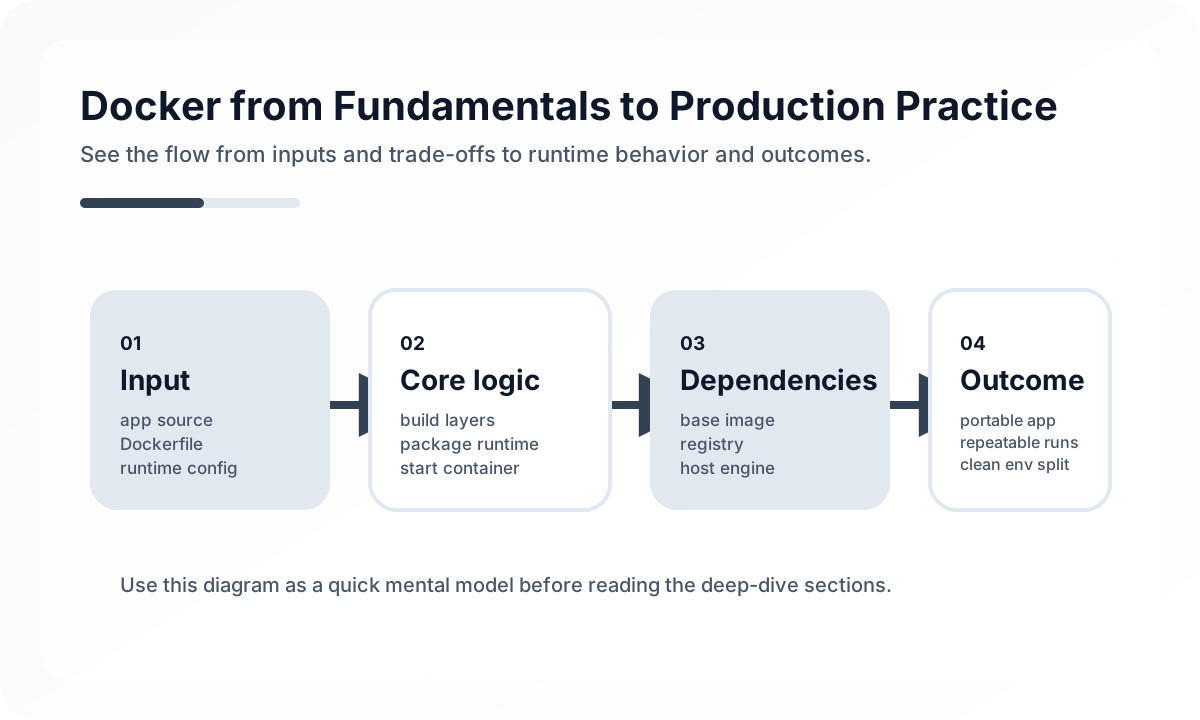
A container is not a virtual machine
Containers do not virtualize an entire operating system. They isolate processes while sharing the kernel. That makes them lightweight and fast, but it also means you need to understand the file system, networking, volumes, and process lifecycle.
Image design is operational quality
FROM node:22-alpine AS build
WORKDIR /app
COPY package*.json ./
RUN npm ci
COPY . .
RUN npm run build

FROM node:22-alpine
WORKDIR /app
COPY --from=build /app/dist ./dist
COPY --from=build /app/package*.json ./
RUN npm ci --omit=dev
CMD ["node", "dist/server.js"]
A good Dockerfile is not just a file that works. It should meet the following goals.
- Avoid inflating image size unnecessarily
- Take advantage of the build cache well
- Separate the build environment from the runtime environment
- Avoid baking secrets into the image
Multi-stage builds are the most common foundational pattern for that.
Perspective matters more than memorizing common commands
docker build -t my-app .
docker run -p 3000:3000 my-app
docker ps
docker logs <container-id>
docker exec -it <container-id> sh
Knowing these commands is only the starting point. In practice, the more important questions are:
- Are logs collected outside the container?
- Is configuration injected through environment variables?
- Is data stored in volumes?
- Does the application shut down cleanly when it receives a termination signal?
State belongs outside the container
It is usually best to treat a container as a replaceable execution unit. If you keep persistent state such as uploaded files, database data, or session files inside the container file system, replacement and scaling become much harder in production.
- Persistent data: volumes or external storage
- Configuration values: environment variables or secret management
- Logs: collection based on standard output
Development images and production images have different goals
In development, fast rebuilds and hot reload matter most. In production, small and predictable images matter more. Instead of trying to satisfy both goals with one Dockerfile, it is usually better to split roles with docker-compose or separate stages when needed.
Problems commonly seen in production
- Using only the
latesttag so you cannot tell which image was deployed - Treating a container as healthy just because it is running, without a health check
- Running images directly as root
- Accidentally
COPYing.envfiles or key files into the image - Letting the build context grow so large that CI time becomes excessive
Recommended practical habits
- Keep both a version tag and a git SHA
- Manage
.dockerignoreaggressively - Separate health check and readiness concerns
- Add image scanning and baseline security checks to CI
- Optimize local developer convenience separately from production images
Summary
The core of Docker is not the commands. It is the mindset of standardizing the execution unit. Once you start drawing clear boundaries around images, configuration, data, logs, and termination signals, Docker stops being just a developer convenience tool and becomes a foundation for more stable deployment and operations.
What Gets Hard in Production
- Docker basics matter because container behavior shapes build repeatability, runtime isolation, and deployment confidence.
- The early mistakes are usually not around syntax, but around image size, secret handling, and misunderstanding what belongs inside the container.
- Containerization amplifies good boundaries and exposes bad ones.
Architecture Decisions That Matter
- Use multi-stage builds and small runtime images by default.
- Keep configuration external and build artifacts immutable.
- Design images around one clear process responsibility per container.
Practical Example
A practical build keeps dependencies in earlier stages and ships only what the runtime needs:
FROM node:20 AS build
WORKDIR /app
COPY package*.json ./
RUN npm ci
COPY . .
RUN npm run build

FROM node:20-alpine
WORKDIR /app
COPY --from=build /app/dist ./dist
Anti-Patterns to Avoid
- Using containers as mini virtual machines full of debug tools and mutable state.
- Baking secrets and environment-specific values into the image.
- Ignoring layer caching and rebuild cost in CI.
Operational Checklist
- Scan image size and vulnerability baseline regularly.
- Verify container startup time and readiness behavior.
- Keep Dockerfiles reviewable and deterministic.
- Test image reproducibility in CI.
Final Judgment
Docker is simple at the CLI level and unforgiving at the boundary level. Teams gain the most when they treat images as immutable deployment units rather than handy packaging blobs.
Continue Reading
Related posts
Kubernetes Fundamentals Design Guide
This article explains Kubernetes Pods, Deployments, and Services not as isolated object definitions but through the lens of an operating model. It covers declarative deployment, network abstraction, configuration separation, and practical adoption concerns.
🚀 DevOpsDocker Compose Development Environment Design Guide
This article explains how to use Docker Compose to improve local development productivity. It covers service boundaries, volumes, networks, dependency management, and the differences from production environments from a practical engineering perspective.
🔧 ToolsDocker Desktop Practical Guide for Managing Development Environments
A practical guide to using Docker Desktop as a local development standard through Compose, volume strategy, resource tuning, Dev Containers, and onboarding design.
📚 IT StoriesHow Containers and Kubernetes Changed the Feeling of Deployment
Deployment once felt like a tense event. Containers and Kubernetes helped turn it into something more repeatable, automated, and systematized.
Next Path