Managing Global State with the React Context API
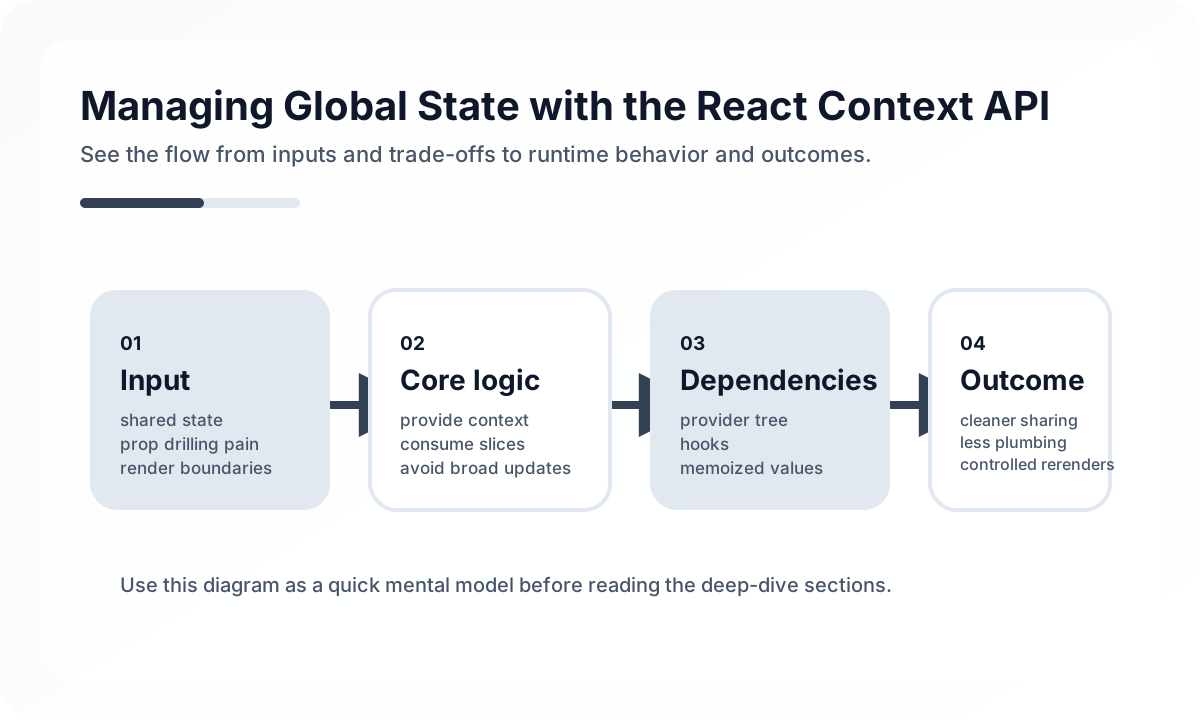
State that fits Context and state that does not
Because Context is often described as “global state,” it can look like the answer to every state problem. In practice, its fit is much narrower.
Good fits:
- theme, locale, and user session information
- configuration values referenced throughout the screen tree
- data that changes infrequently but has many consumers
Poor fits:
- frequently changing form input state
- fetched lists and cached server data
- large-scale state with complex update rules
In short, Context is strong for widely shared values, but heavy as a high-frequency state store.
Providers should stay small and clear
import { createContext, useContext, useState } from 'react';

const ThemeContext = createContext(null);

export function ThemeProvider({ children }) {
  const [theme, setTheme] = useState('light');

  return (
    <ThemeContext.Provider value={{ theme, setTheme }}>
      {children}
    </ThemeContext.Provider>
  );
}

export function useTheme() {
  const context = useContext(ThemeContext);
  if (!context) throw new Error('useTheme must be used within ThemeProvider');
  return context;
}
A good Context usually has one job. Splitting by concerns like AuthContext, ThemeContext, and LocaleContext makes it easier to limit change impact.
The biggest cost of Context is rerendering
Whenever the provider value changes, consumers subscribed to that context rerender. That is the main reason Context becomes heavy.
The following strategies are useful in practice.
- split one giant context into several small ones
- separate frequently changing values from mostly static values
- keep the provider value shape simple instead of recreating new objects constantly
- consider tools like Zustand or Jotai for state that changes very often
Auth Context is common, but its boundary matters
const AuthContext = createContext(null);

export function AuthProvider({ children }) {
  const [user, setUser] = useState(null);

  async function login(email, password) {
    const res = await fetch('/api/login', {
      method: 'POST',
      headers: { 'Content-Type': 'application/json' },
      body: JSON.stringify({ email, password }),
    });

    const data = await res.json();
    setUser(data.user);
  }

  function logout() {
    setUser(null);
  }

  return (
    <AuthContext.Provider value={{ user, login, logout }}>
      {children}
    </AuthContext.Provider>
  );
}
The boundary gets blurry when an auth provider tries to own everything at once: authorization checks, token refresh, session restore, route guards, and profile fetching. It is usually better to divide those responsibilities across Context, the API layer, and routing logic.
Server state is usually better with a dedicated tool
A common mistake is placing fetched API lists into Context and using it like a cache. Server state brings expiration, retry, synchronization, and refetching concerns with it, so a dedicated tool like TanStack Query is usually a better fit.
- Context: values shared inside the app
- Query tools: values fetched from the server and kept in sync
Once that boundary is clear, frontend state design gets much simpler.
Selection criteria
| Situation | Better choice |
|---|---|
| Theme, language, user session | Context API |
| Async server data | TanStack Query |
| Frequently changing client state | Zustand / Jotai |
| Large-scale global state with strong rules | Redux Toolkit |
Common mistakes
- putting every kind of state into a single AppContext
- using Context as a cache for server data
- recreating provider objects every render and increasing child rerenders
- scattering raw
useContextcalls without custom hooks - mixing state, actions, authorization policy, and network requests into one context
Wrap-up
The React Context API is very effective for sharing small, common state. But once it starts acting like a general-purpose store for all global state, both design and performance become heavy very quickly. In production, it is much more stable to keep Context focused on values that are widely shared but do not change often, while leaving server state and more complex state problems to other tools.
What Gets Hard in Production
- Context looks lightweight, but broad providers can trigger unnecessary renders and hide ownership when they carry frequently changing state.
- Teams overuse context for convenience and end up with state that is globally reachable but locally hard to reason about.
- Provider order and initialization logic become a source of bugs when contexts depend on each other implicitly.
Architecture Decisions That Matter
- Use context mainly for stable cross-cutting values such as theme, auth session shape, feature flags, or dependency injection.
- Keep rapidly changing server-derived data in dedicated server-state tools instead of pushing it through context.
- Prefer multiple focused providers over one giant app context.
Practical Example
A good context usually exposes a stable interface rather than raw mutable internals:
type AuthContextValue = {
  userId: string | null
  isAuthenticated: boolean
  signOut: () => Promise<void>
}

const AuthContext = createContext<AuthContextValue | null>(null)
Anti-Patterns to Avoid
- Putting frequently updated lists or dashboards into a global context.
- Treating context as a substitute for architectural boundaries.
- Exporting nullable context without a safe access hook.
Operational Checklist
- Measure unnecessary re-render hotspots around providers.
- Keep provider trees intentional and documented.
- Stabilize context values and callbacks where needed.
- Review whether a context should really be server cache, route state, or local state.
Final Judgment
Context is excellent for stable shared dependency and configuration flow. It is a poor default store for fast-changing application state.
Continue Reading
Related posts
Reconciliation Boundaries in Optimistic UI
Optimistic UI feels fast, but complexity appears when the server disagrees. This guide explains where optimistic updates should stop.
🖥️ FrontendReact Activity and View Transitions Adoption Notes
Recent React work around Activity and View Transitions is about more than animation. It changes how teams can approach UI continuity and preserved state.
📈 TrendsWhat the React Foundation Means for Engineering Teams
Why the React Foundation matters beyond governance news, and how it may affect framework coordination, ecosystem stewardship, and long-term frontend strategy.
🧪 TestPractical React Testing Library Design Guide
How to use React Testing Library as a user-centered testing tool. Covers query priority, interaction tests, async UI, provider wrappers, and how to avoid excessive mocking.
Next Path