Vite + Vue 3 Project Design Guide
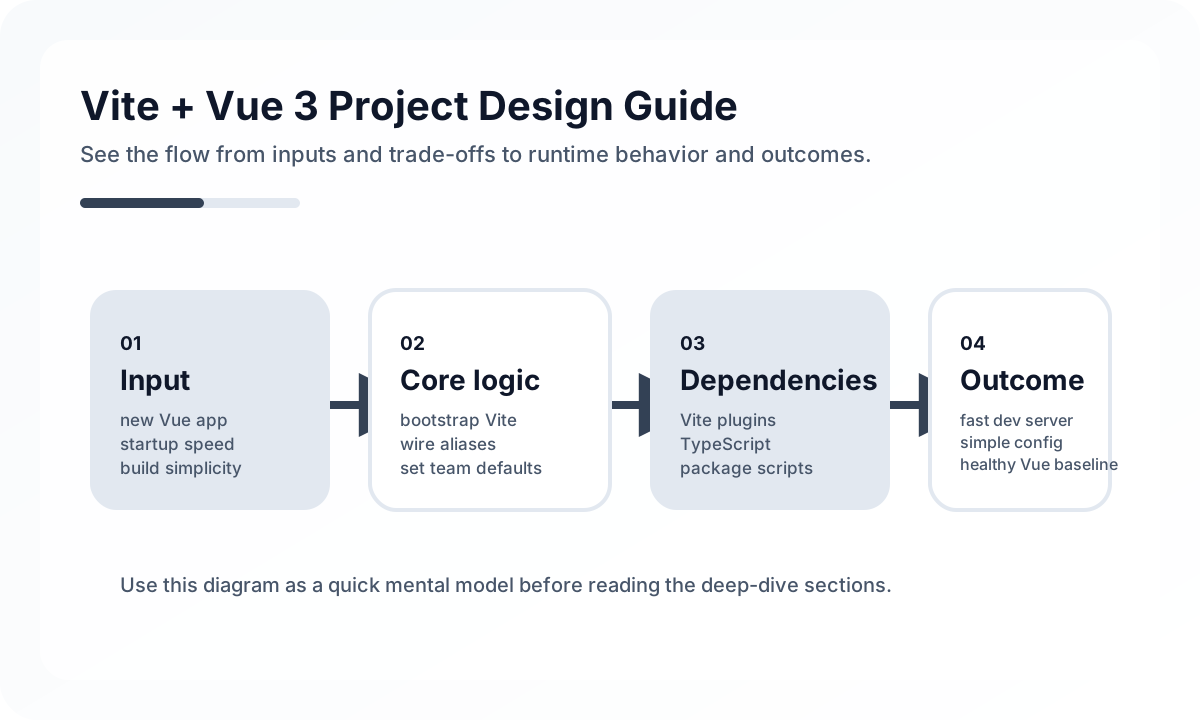
More important than a quick start
npm create vite@latest my-vue-app -- --template vue
cd my-vue-app
npm install
npm run dev
This step is easy. The real quality depends on the next configuration choices: whether imports stay readable as the folder structure grows, whether environment-specific API endpoints are safely separated, and whether proxies simplify local development.
Define alias and environment variable rules early
import { defineConfig } from 'vite'
import vue from '@vitejs/plugin-vue'
import { fileURLToPath, URL } from 'node:url'

export default defineConfig({
  plugins: [vue()],
  resolve: {
    alias: {
      '@': fileURLToPath(new URL('./src', import.meta.url)),
    },
  },
  server: {
    proxy: {
      '/api': {
        target: 'http://localhost:8080',
        changeOrigin: true,
      },
    },
  },
})
Aliases are not just a convenience feature. They make structure easier to read. For environment variables, it is important to follow the VITE_ prefix rule consistently and make sure server-only secrets never leak into the frontend bundle.
Think separately about the dev server and the production bundle
The Vite dev server being fast does not mean production optimization is solved automatically. Chunk splitting, asset sizes, cache strategy, CDN placement, and sourcemap exposure all need separate production-level review.
Why Vite works well with Vue 3
Its biggest strength is how naturally it fits Composition API, <script setup>, TypeScript, and HMR. Fast feedback when editing components noticeably speeds up UI development. But if structural problems are left unresolved just because local feedback is fast, that advantage shrinks as the project grows.
Common mistakes
Teams often keep adding environment variables without discipline, or let proxy behavior drift away from real production API paths so local and production behavior no longer match. Another frequent issue is ignoring growing bundle size and third-party dependency weight simply because builds still feel fast.
Wrap-up
Vite + Vue 3 is fast and lightweight, but production projects still need deliberate design for both developer experience and operational stability. If you define alias, proxy, env, and build strategy early, you can keep the speed benefits much longer as the project scales.
What Gets Hard in Production
- A fast local start does not guarantee long-term maintainability once aliases, environment variables, testing, and build targets diverge.
- Teams often outgrow the initial setup when shared conventions for directory layout and plugins were never documented.
- Asset pipelines and environment handling become fragile if Vite configuration is treated as throwaway boilerplate.
Architecture Decisions That Matter
- Keep Vite config small, but define alias, env naming, and plugin policies early.
- Separate app bootstrap, router bootstrap, and shared runtime configuration so initialization stays readable.
- Treat test setup, mock strategy, and build mode behavior as part of the architecture, not later cleanup.
Practical Example
A clean setup usually exposes only the runtime configuration the app actually needs:
export function readRuntimeConfig() {
  return {
    apiBaseUrl: import.meta.env.VITE_API_BASE_URL,
    appEnv: import.meta.env.MODE,
    enableMockApi: import.meta.env.VITE_ENABLE_MOCK_API === 'true',
  }
}
Anti-Patterns to Avoid
- Letting every feature import environment variables directly from
import.meta.env. - Accumulating plugins without checking build impact and responsibility overlap.
- Mixing app bootstrap code with global side effects and debug-only behavior.
Operational Checklist
- Document required env vars and default values.
- Check bundle output for each mode used in CI and deployment.
- Keep dev server proxy rules versioned with backend contract changes.
- Review whether each Vite plugin is still earning its complexity.
Final Judgment
Vite plus Vue 3 is strongest when the setup remains intentionally small. Speed is the starting benefit, but consistency in runtime configuration and build behavior is what keeps the project healthy.
Continue Reading
Related posts
Vue.js Architecture Design Guide
This guide explains how to design a Vue.js project as a maintainable frontend system rather than just a collection of components, covering state boundaries, routing, data flow, folder structure, performance, and collaboration.
🖥️ FrontendVue Component Design Principles Guide
This guide covers component responsibility, reuse boundaries, props and events design, and slot strategy in Vue applications from a practical engineering perspective.
🔧 ToolsWebpack to Vite Migration Guide
A practical migration guide from Webpack to Vite focused on dev-server model changes, plugin inventory, environment handling, and production validation.
📈 TrendsWhat the React Foundation Means for Engineering Teams
Why the React Foundation matters beyond governance news, and how it may affect framework coordination, ecosystem stewardship, and long-term frontend strategy.
Next Path