Managing Server State with TanStack Query (React Query)
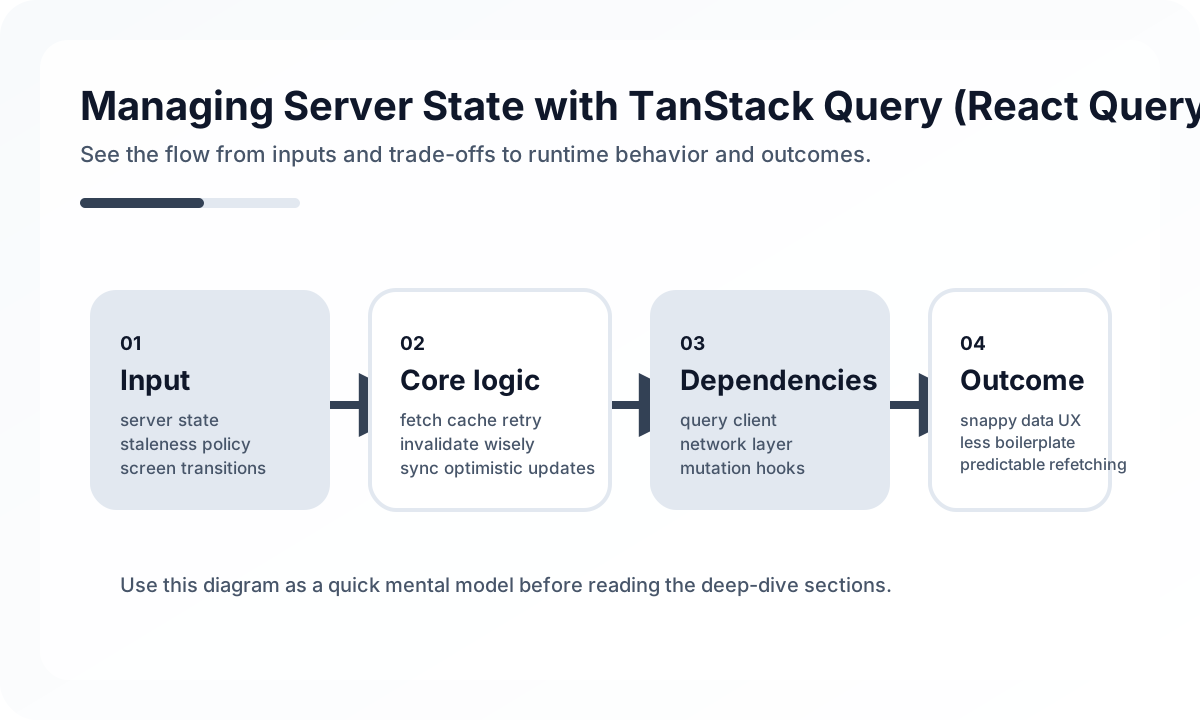
One of the most common sources of frontend complexity is treating server state and client state the same way. TanStack Query forces a useful distinction.
- server state: the source of truth is on the server, and the client only holds a cached copy
- client state: the source of truth lives in browser memory
Once that difference is clear, the reason TanStack Query exists becomes much easier to understand.
Why useEffect + useState hits limits quickly
Simple fetching can be implemented by hand.
function PostList() {
  const [data, setData] = useState<Post[]>([])
  const [isLoading, setIsLoading] = useState(true)
  const [error, setError] = useState<Error | null>(null)

  useEffect(() => {
    fetch('/api/posts')
      .then((res) => res.json())
      .then(setData)
      .catch(setError)
      .finally(() => setIsLoading(false))
  }, [])
}
The problem is that real applications get more complex immediately.
- duplicate request prevention
- revalidation after tab switching
- automatic retries
- background refresh
- cache reuse
- invalidation of related lists after writes
TanStack Query exists because these concerns repeat everywhere unless there is a system for them.
QueryClient is the center of cache policy
import { QueryClient, QueryClientProvider } from '@tanstack/react-query'

const queryClient = new QueryClient({
  defaultOptions: {
    queries: {
      staleTime: 1000 * 60 * 5,
      retry: 2,
    },
  },
})
What matters here is not memorizing staleTime, but deciding how quickly data in this app becomes stale.
- notice lists may tolerate staleness for minutes
- exchange rates, inventory, or live prices may need much shorter freshness windows
- user profile data may need stronger consistency right after updates
That makes QueryClient configuration closer to freshness policy than to generic performance tuning.
useQuery is a server-state declaration
import { useQuery } from '@tanstack/react-query'

async function fetchPosts() {
  const res = await fetch('/api/posts')
  if (!res.ok) throw new Error('Failed to fetch')
  return res.json()
}

function PostList() {
  const { data, isLoading, isError, error } = useQuery({
    queryKey: ['posts'],
    queryFn: fetchPosts,
  })

  if (isLoading) return <p>Loading...</p>
  if (isError) return <p>Error: {error.message}</p>

  return (
    <ul>
      {data.map((post: Post) => (
        <li key={post.id}>{post.title}</li>
      ))}
    </ul>
  )
}
It helps to read this declaratively.
- subscribe to the server state identified by
['posts'] - fetch that state with
fetchPosts - let the library manage loading, error, and success states
So useQuery is closer to a server-state subscription declaration than to request execution code.
Query key design determines cache quality
useQuery({ queryKey: ['posts'], queryFn: fetchPosts })

useQuery({
  queryKey: ['posts', postId],
  queryFn: () => fetchPost(postId),
})

useQuery({
  queryKey: ['posts', { status: 'published', page: 1 }],
  queryFn: () => fetchFilteredPosts({ status: 'published', page: 1 }),
})
queryKey is not just an identifier. It is the cache model. Useful design rules include the following.
- start with the resource name
- distinguish list, detail, and filtered views structurally
- make semantically identical requests produce the same key
- avoid leaking too many implementation details into the key
Many teams use a query-key factory to keep cache structure consistent.
Mutations must be designed together with invalidation
import { useMutation, useQueryClient } from '@tanstack/react-query'

function CreatePost() {
  const queryClient = useQueryClient()

  const mutation = useMutation({
    mutationFn: (newPost: { title: string; content: string }) =>
      fetch('/api/posts', {
        method: 'POST',
        headers: { 'Content-Type': 'application/json' },
        body: JSON.stringify(newPost),
      }).then((res) => res.json()),
    onSuccess: () => {
      queryClient.invalidateQueries({ queryKey: ['posts'] })
    },
  })

  return (
    <button
      onClick={() => mutation.mutate({ title: 'New post', content: 'Body' })}
      disabled={mutation.isPending}
    >
      {mutation.isPending ? 'Saving...' : 'Save'}
    </button>
  )
}
In TanStack Query, the key question around mutations is not the request itself, but which cache should change and how after the write finishes. Without that, the UI gets out of sync quickly.
invalidateQueries is convenient, but not always optimal
Invalidation is often the easiest tool, but not always the most efficient one.
- Is it acceptable to refetch the whole list?
- Would patching just the detail cache be better?
- Can the mutation response be used to update cache directly?
For small apps, invalidation is often enough. As the amount of data and request cost grow, more precise cache updates become more valuable.
Optimistic updates improve UX, but rollback matters
const mutation = useMutation({
  mutationFn: updatePost,
  onMutate: async (updatedPost: Post) => {
    await queryClient.cancelQueries({ queryKey: ['posts', updatedPost.id] })

    const previous = queryClient.getQueryData<Post>(['posts', updatedPost.id])
    queryClient.setQueryData(['posts', updatedPost.id], updatedPost)

    return { previous }
  },
  onError: (_error, updatedPost, context) => {
    queryClient.setQueryData(['posts', updatedPost.id], context?.previous)
  },
})
Optimistic updates make the UI feel fast, but they require clear answers to questions like these.
- What state should be restored on failure?
- Do list and detail views both need updating?
- Could the server return a different final value?
Optimistic update is not just a UX trick. It is a strategy where the client temporarily claims the truth first.
staleTime and refetch policy should follow data meaning
One common mistake is giving every query the same staleTime. Real data lifecycles differ.
- reference data that rarely changes can be cached for a long time
- frequently changing feeds and lists often need short stale windows
- data that must be exact right after edits often needs explicit invalidation
It is usually better to set these values based on the freshness requirements of the domain data, not only on generic performance thinking.
TanStack Query does not replace every state tool
This simplified comparison is useful.
| Area | General state management | TanStack Query |
|---|---|---|
| Target | Client state | Server state |
| Source of truth | Browser | Server |
| Main concern | UI flow | Cache, sync, revalidation |
| Typical problems | Modals, tabs, drag state | List/detail consistency after updates |
TanStack Query is not really a replacement for Zustand, Redux, or Jotai. It is closer to a tool that separates the server-state problem and solves it much better.
Common mistakes
- designing query keys inconsistently
- invalidating everything after every write
- duplicating server data into a global client store
- setting
staleTimearbitrarily too high or too low - adding optimistic updates without planning rollback
In particular, copying query data into another global store often removes much of the value of adopting TanStack Query at all.
When TanStack Query is especially strong
- CRUD-heavy back-office tools and dashboards
- list/detail screens centered on server data
- apps where retry, background refresh, and cache reuse matter
- products where the same server data appears across multiple screens
If an app is mostly simple local interaction with little remote complexity, the benefit may be smaller.
Wrap-up
The core of TanStack Query is not saving a few lines of fetch code. More fundamentally, it makes teams treat server state as a different problem from client state.
Once that perspective is in place, query keys, stale time, invalidation, and optimistic updates all connect as part of one model. Good TanStack Query usage starts not with API syntax, but with knowing whose truth the data represents and how quickly it goes stale.
What Gets Hard in Production
- TanStack Query is powerful because it separates server state from UI state, but that benefit disappears if the cache becomes a second global store.
- Query keys, invalidation policy, and mutation flow become architectural concerns as soon as the app has multiple related screens.
- Performance problems often come from cache misuse, not from the library itself.
Architecture Decisions That Matter
- Design query keys around resource identity and filter scope, not component names.
- Keep mutation side effects explicit: decide what should refetch, what can update optimistically, and what must roll back.
- Use stale time and garbage collection policy intentionally based on data freshness needs.
Practical Example
A stable query model starts with keys that describe the resource contract clearly:
useQuery({
  queryKey: ['orders', { status, page }],
  queryFn: () => fetchOrders({ status, page }),
  staleTime: 30_000,
})
Anti-Patterns to Avoid
- Using different key shapes for the same resource across screens.
- Mirroring query data into local global stores without a strong reason.
- Triggering broad invalidation because narrow ownership was never designed.
Operational Checklist
- Document key conventions for major resources.
- Review optimistic update and rollback paths under failure.
- Measure duplicate fetches and stale screen incidents.
- Keep suspense, retry, and error boundary behavior consistent.
Final Judgment
TanStack Query is strongest when it is treated as disciplined server-state infrastructure. It weakens quickly when teams use it as a catch-all state layer.
Continue Reading
Related posts
Reconciliation Boundaries in Optimistic UI
Optimistic UI feels fast, but complexity appears when the server disagrees. This guide explains where optimistic updates should stop.
🖥️ FrontendReact Activity and View Transitions Adoption Notes
Recent React work around Activity and View Transitions is about more than animation. It changes how teams can approach UI continuity and preserved state.
📈 TrendsWhat the React Foundation Means for Engineering Teams
Why the React Foundation matters beyond governance news, and how it may affect framework coordination, ecosystem stewardship, and long-term frontend strategy.
🧪 TestPractical React Testing Library Design Guide
How to use React Testing Library as a user-centered testing tool. Covers query priority, interaction tests, async UI, provider wrappers, and how to avoid excessive mocking.
Next Path