Vue Router 4 Design Guide
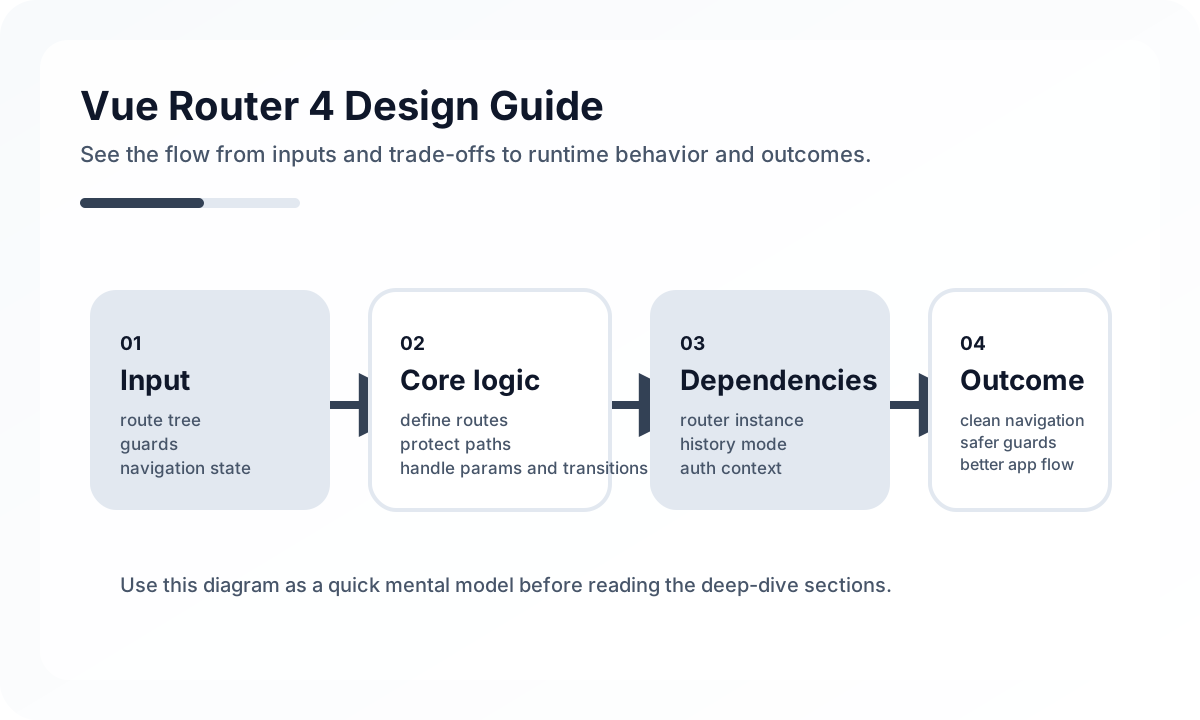
Think about routes in terms of user flow, not just pages
A good URL reveals the user journey more clearly than the file structure of the screens. List, detail, edit, and create flows should be readable from the URL so link sharing, browser history, and access control all behave naturally.
import { createRouter, createWebHistory } from 'vue-router'

const router = createRouter({
  history: createWebHistory(),
  routes: [
    { path: '/', component: () => import('@/pages/HomePage.vue') },
    { path: '/posts/:id', component: () => import('@/pages/PostDetailPage.vue') },
  ],
})
Nested routes are most useful at layout boundaries
Nested routes are not just for creating child URLs. They are a reliable way to separate a shared layout from child views. They are especially effective on screens with a fixed parent frame, such as dashboards, settings pages, or admin tools.
Navigation guards are not just for authentication
Guards often get reduced to simple login checks, but in practice they can also handle page-entry policies such as preparing data, restricting roles, or blocking navigation when there are unsaved changes. Still, if too much logic gets pushed into global guards, debugging becomes difficult.
Treat lazy loading as a default strategy
Route-level code splitting is a natural way to reduce initial load cost. But if you split too aggressively, the network can become fragmented and feel slower in practice, so chunk strategy by user flow matters more than splitting everything as finely as possible.
Common mistakes
Teams often put too much business logic into global guards or let URL structure be dictated by component folder structure. Another common issue is mixing up the roles of query strings and path params, which weakens the meaning of shared links.
Wrap-up
Vue Router 4 is both a page navigation library and an information architecture tool. If URLs explain user flow, guards express policy clearly, and layout boundaries are stable, the router becomes a foundation that keeps holding up as the project grows.
What Gets Hard in Production
- Routing becomes a system design topic once authorization, data loading, layout persistence, and error states enter the picture.
- Route config that looks small at launch can become the source of global coupling later.
- Navigation bugs often reflect missing route ownership rules rather than router API mistakes.
Architecture Decisions That Matter
- Design routes around user tasks and stable URL semantics, not component file convenience.
- Keep guards focused on access and coarse navigation policy.
- Decide which state belongs in the URL, which belongs in store, and which should remain ephemeral.
Practical Example
A maintainable route table usually reflects product capabilities rather than low-level views:
const routes = [
  { path: '/products', component: ProductsPage },
  { path: '/products/:id', component: ProductDetailPage },
  { path: '/orders/:id', component: OrderDetailPage },
]
Anti-Patterns to Avoid
- Overloading global guards with data fetching and analytics side effects.
- Keeping critical filter state out of the URL even though users expect shareable views.
- Making route meta a dumping ground for unrelated concerns.
Operational Checklist
- Audit route names, path semantics, and redirect rules.
- Test browser back-forward behavior on critical workflows.
- Review lazy-loading boundaries by route family.
- Monitor navigation failure and guard timeout behavior.
Final Judgment
Vue Router 4 is not just navigation plumbing. The route system defines how users, URLs, permissions, and data-loading expectations fit together.
Continue Reading
Related posts
Vue 3 Composition API Complete Guide
This practical guide goes beyond Composition API syntax to cover logic composition, composable design, the boundary between ref and reactive, and maintainability in real projects.
🖥️ FrontendVue 3 Component Communication Design Guide
This guide explains when to use props, emit, provide/inject, and stores in Vue 3. It focuses less on syntax and more on how to design data flow and component boundaries.
💬 LanguageTypeScript Utility Types: A Practical Guide
A production-focused guide to TypeScript utility types. Learn how to model DTOs, update payloads, selectors, and derived types without making your type layer harder to read.
💬 LanguageModern JavaScript Syntax Through ES2024
A practical guide to modern JavaScript syntax through an engineering lens. Learn which ES2024-era features genuinely improve code quality and which ones still need restraint.
Next Path