Essential IntelliJ IDEA Shortcuts and Productivity Tips
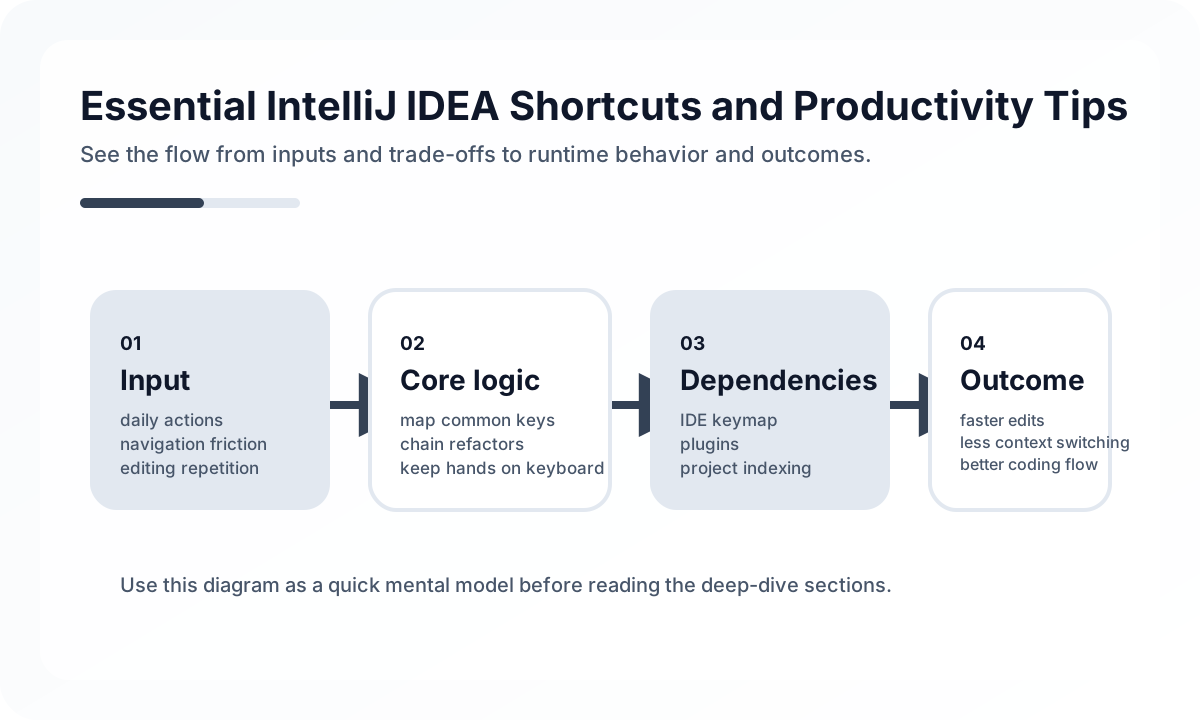
That means the real question is not “How many shortcuts do you know?” but “Can you move through a large codebase and change it with confidence?”
The Highest-Value Skill Is Navigation Confidence
The largest productivity gains usually come from being able to move quickly through unfamiliar code:
- find usages
- navigate to implementation
- inspect call hierarchies
- move through test and production code
- search symbols instead of filenames only
When developers keep falling back to manual scanning or grep-only habits for everything, they leave much of the IDE’s leverage unused.
Safe Refactoring Is Where IntelliJ Pays Off
In long-lived codebases, speed without safety is not a real win. IntelliJ’s strongest value often comes from safe refactoring support:
- rename with reference tracking
- extract method or variable safely
- change signatures
- move classes or packages with usage updates
A lot of accidental breakage comes from using raw text replacement where the IDE could have done a structured change instead.
Shortcut Learning Should Follow Workflows, Not Trivia
Trying to memorize a hundred shortcuts at once usually fails. A more practical path is to learn the shortcuts that support one continuous engineering loop.
Example:
search usage -> navigate to implementation -> rename safely -> extract method -> run testThis turns shortcuts into muscle memory tied to real work rather than abstract knowledge.
Debug Flow Matters as Much as Editing Flow
In backend and JVM-heavy teams, debugging quality changes productivity substantially. Teams should be comfortable with:
- breakpoints that carry conditions
- stepping through code without losing context
- evaluating expressions during execution
- jumping from failing test to debug session quickly
The IDE becomes far more valuable when failure investigation feels natural instead of disruptive.
Team Defaults Still Matter in an IDE
Even powerful personal IDE habits can become a team problem if nothing is shared. Practical team-level guidance may include:
- code style settings
- inspection severity decisions
- shared run configurations
- plugin recommendations
- guidance on key navigation and refactor habits
The goal is not forcing everyone into the same keymap. It is reducing avoidable divergence in daily engineering flow.
Common Failure Modes
- staying mouse-driven in a large codebase
- using text replacement instead of safe refactors
- collecting shortcuts without improving actual flow
- treating debugger usage as exceptional instead of normal
- letting team defaults disappear entirely into personal settings
Productivity drops when the IDE becomes only an editor instead of a code-navigation and safe-change system.
Team Checklist
- Can engineers move from symbol search to implementation to tests quickly?
- Are safe refactors preferred over manual text edits?
- Is debugging part of the normal workflow, not a last resort?
- Are shared code-style and inspection expectations documented?
- Are engineers learning workflows rather than isolated shortcuts?
Closing Judgment
IntelliJ productivity comes less from shortcut count and more from uninterrupted engineering flow. The IDE creates the most leverage when navigation, refactoring, and debugging feel like one connected system for making safe changes at speed.
Continue Reading
Related posts
Practical Engineering Notebook Habits
Development that depends only on memory creates repeat cost. This guide explains how engineers and teams can use notebooks as workflow tools.
🔧 ToolsMaximize Terminal Productivity: Zsh, Oh My Zsh, and Useful CLI Tools
A practical guide to terminal productivity through shell defaults, aliases vs scripts, plugin restraint, and tool choices such as ripgrep, fd, bat, and fzf.
💬 LanguageKotlin Basics for Java Developers
A practical guide to Kotlin for Java developers through a production lens. Learn what Kotlin changes in team habits, not just in syntax, especially around null safety, state modeling, and coroutines.
💬 LanguageJava 21 Virtual Threads: A Practical Concurrency Guide
A production-focused guide to Java 21 Virtual Threads. Learn where they improve throughput, where they do not help, and what to validate before rolling them into a Spring Boot service.
Next Path