Practical Tips for Using GitHub Copilot
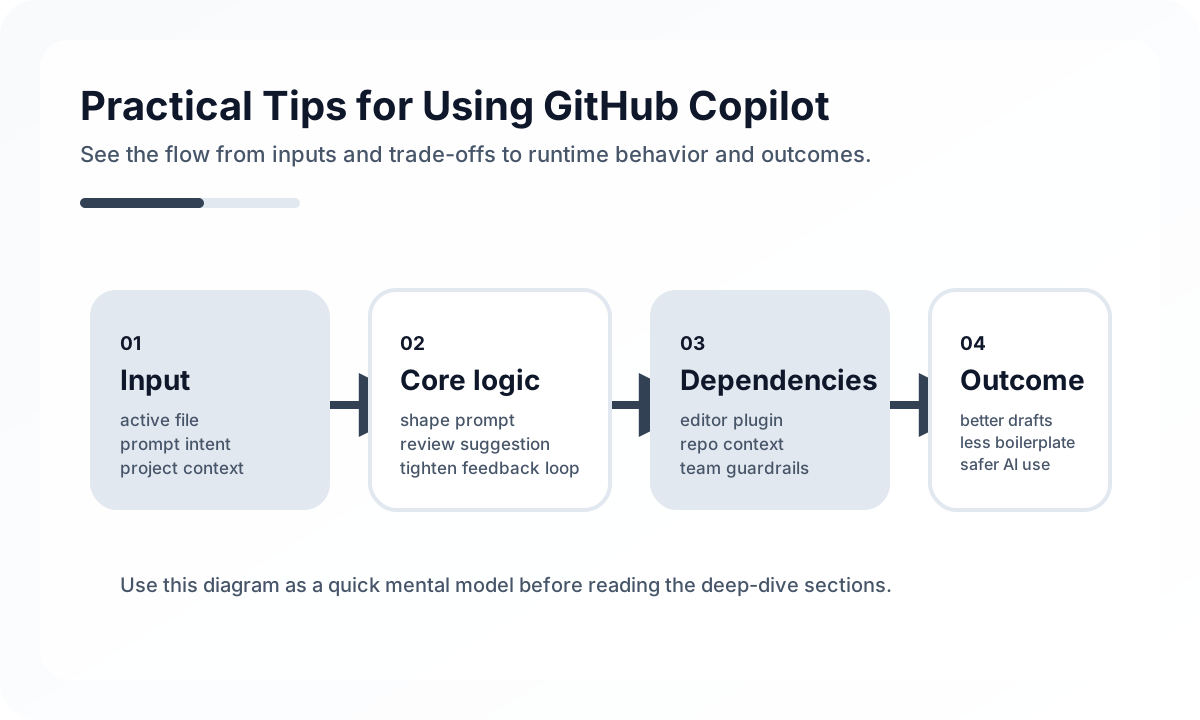
The practical question is not whether Copilot is “good” or “bad.” It is where it should be trusted to accelerate and where it must be treated only as a draft source.
Where Copilot Usually Helps Most
Copilot tends to be strongest in areas with repetitive structure:
- test scaffolding
- DTO or mapping boilerplate
- repetitive validation branches
- fixture generation
- documentation drafts
- usage examples for familiar libraries
These are not trivial tasks, but they are often low-leverage enough that engineers should not spend all their attention hand-writing them from scratch every time.
Where Human Ownership Must Stay Strong
Some areas carry too much hidden cost to delegate casually:
- transaction boundaries
- authentication and authorization logic
- concurrency behavior
- retry and failure policy
- data integrity guarantees
- system architecture choices
Copilot may still suggest code in these areas, but the human should own the design logic completely. The more invisible the risk, the less useful raw speed becomes.
Prompting Matters Less Than Review Standards
Many teams over-focus on prompt tricks. Better prompting helps, but weak review standards are the bigger problem. Fast generation without strong review simply turns velocity into quality drift.
A practical team standard should answer:
- what kinds of generated code are acceptable first drafts
- what kinds of changes always require stronger review
- how security-sensitive output is checked
- whether tests are required before accepting generated code
The review model matters more than prompt cleverness.
Copilot Is Strongest When Context Is Already Clear
Copilot performs better when:
- function names reflect intent
- surrounding code is consistent
- types are explicit
- tests or examples already define the shape of the problem
This leads to an important operational insight: teams often get better Copilot output by improving code clarity, not by writing more complicated prompts.
Treat Copilot as a Draft Accelerator, Not a Judgment Engine
A useful mental model:
good candidate:
- form validation tests
- DTO mapping boilerplate
- fixture generation

human-owned:
- transaction boundary decisions
- auth policy
- concurrency control
This boundary keeps the productivity benefit without quietly outsourcing responsibility.
Common Failure Modes
- accepting generated code unchanged
- using Copilot heavily in security- or concurrency-sensitive code without extra review
- measuring success by suggestion count instead of real delivery quality
- letting junior engineers mistake fluency for correctness
- ignoring licensing, provenance, or organizational policy concerns
Copilot becomes dangerous when speed hides the absence of understanding.
Team Checklist
- Has the team defined good and bad use cases for Copilot?
- Are high-risk areas reviewed more strictly regardless of who wrote the code?
- Is generated test code still being read critically?
- Are engineers optimizing for accepted quality rather than accepted volume?
- Does the team treat Copilot as a draft tool rather than an authority?
Closing Judgment
Copilot does not replace engineering judgment. It shifts where that judgment should be spent. Teams get the most value when they use it to compress repetitive work while keeping design, correctness, and risk ownership firmly human. Used that way, it becomes leverage. Used carelessly, it becomes a faster way to ship uncertainty.
Continue Reading
Related posts
Operating AI Coding Workspace Guardrails
Teams adopting AI coding tools need more than productivity. They need clear write boundaries, approval flows, and workspace guardrails.
🔧 ToolsPractical Engineering Notebook Habits
Development that depends only on memory creates repeat cost. This guide explains how engineers and teams can use notebooks as workflow tools.
🤖 AI / LLMOpsAn Agent Approval UX Playbook
Strong agents do not only automate more. They show clearly when a human should step in. This guide explains approval UX in practical terms.
📚 IT StoriesWhy Developers Fell in Love with the CLI
Even in an age of polished GUIs, developers keep returning to the terminal. This story explains why the CLI became a cultural center of engineering.
Next Path