Docker Desktop Practical Guide for Managing Development Environments
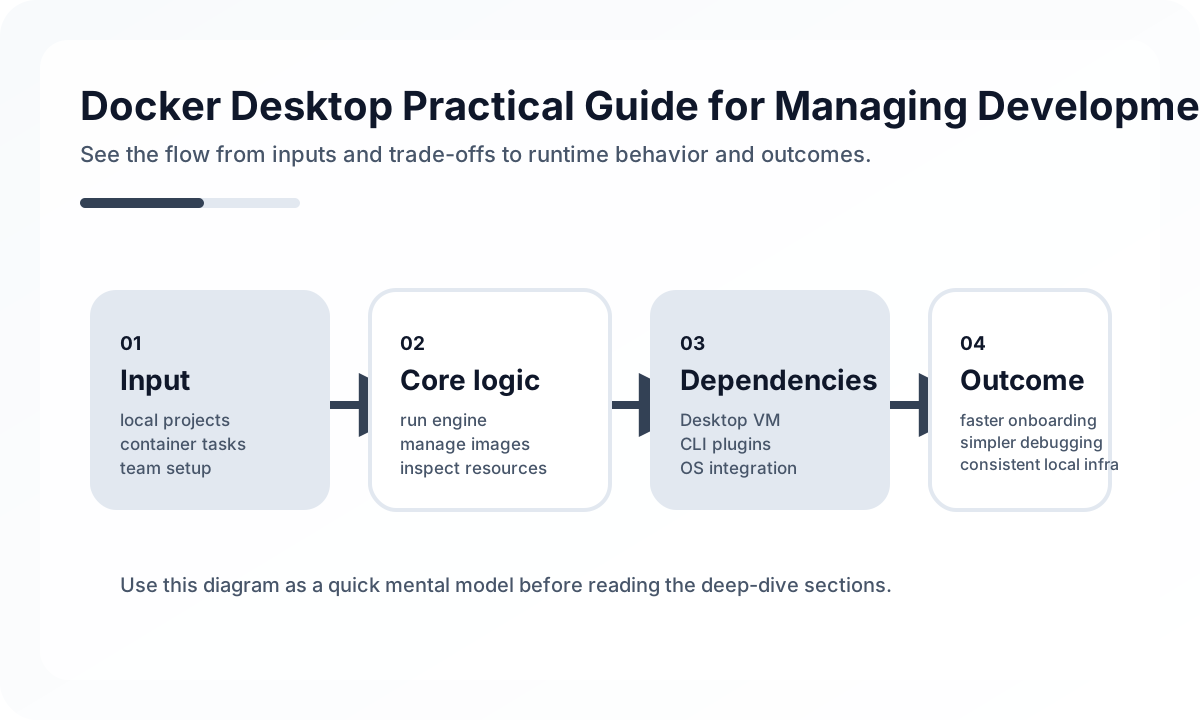
The real value of Docker Desktop is not that it runs containers on laptops. It is that it can turn local development into a predictable team default.
What Docker Desktop Should Standardize
The strongest use cases are:
- local dependency services such as databases, caches, and queues
- repeatable onboarding for new engineers
- environment parity for key runtime assumptions
- isolated task execution for multi-service systems
What it should not automatically standardize:
- every production concern
- every optional side service
- every local customization need
The goal is not perfect production mimicry. The goal is reliable development flow.
Compose Design Matters More Than Container Count
Many teams treat docker-compose.yml as a place to start everything. That usually leads to slow startup, noisy logs, and unclear ownership over what is actually required.
A better design distinguishes:
- core services required for daily development
- optional services for specific debugging needs
- one-off jobs such as migrations or seed tasks
That often means using a lean default stack rather than launching the entire architecture.
Example:
services:
  app:
    build: .
    ports: ["3000:3000"]
    depends_on: [db]
  db:
    image: postgres:16
    ports: ["5432:5432"]
The best Compose setup is usually smaller than people expect.
Volumes and File Sync Determine Real Developer Experience
Teams often blame Docker itself when the real issue is volume or file-sharing strategy.
Common pain points:
- slow hot reload
- permission conflicts
- stale dependency directories
- database resets that happen unexpectedly
Practical decisions that matter:
- which directories are bind-mounted
- whether dependency folders stay inside or outside the container
- how persistent database volumes are managed
- how reset scripts are provided safely
This is where many “works on my machine” problems either disappear or get amplified.
Resource Limits Need Team Guidance
Docker Desktop gives each engineer many ways to tune CPU, memory, and disk usage. Without guidance, the same project can feel fast for one person and unusable for another.
Teams should document:
- minimum memory expectations
- known heavy services
- whether database indexing or search engines need extra allocation
- what to stop when the machine is under pressure
A local environment standard is only useful if it performs predictably enough for most contributors.
Dev Containers Are Strong When the Repository Needs More Than Runtime Parity
Dev Containers become valuable when the problem is not just running the app, but standardizing the development toolchain itself.
Useful cases:
- native dependencies are painful across operating systems
- the team needs consistent CLI tooling
- onboarding should include editor-level configuration
- remote or containerized development is already normal
This is different from simply using Docker for a database. Dev Containers are about making the developer workspace itself reproducible.
Common Failure Modes
- starting every possible service by default
- assuming production realism is always the right local goal
- ignoring resource constraints on laptops
- leaving volume and reset behavior undocumented
- pushing all local problems into Docker without deciding ownership clearly
Docker Desktop succeeds when it reduces environment ambiguity. It fails when it becomes a dumping ground for unresolved local workflow design.
Team Checklist
- Is the default container stack smaller than the full production topology?
- Are volume and reset rules documented clearly enough for new engineers?
- Are CPU and memory expectations made explicit?
- Are optional services separated from daily development defaults?
- Does Docker Desktop reduce onboarding time instead of adding another setup layer?
Closing Judgment
Docker Desktop is most useful as a standardization tool for local dependencies and repeatable setup. The right design makes local development more predictable without forcing every laptop to pretend it is a production cluster. Teams get the best results when they optimize for daily development flow, not infrastructure theater.
Continue Reading
Related posts
Designing Search Architecture for Engineering Docs
As documentation grows, the problem shifts from writing to finding. This guide explains how to design search-friendly engineering documentation.
🔧 ToolsRunning an Engineering Handbook as Code
Team rules decay quickly when they live only in a wiki. A useful handbook should evolve alongside development work.
🚀 DevOpsDocker from Fundamentals to Production Practice
This article looks at Docker from a practical engineering perspective, beyond basic container concepts, covering image design, layer caching, volumes, networking, and operational pitfalls.
🚀 DevOpsDocker Compose Development Environment Design Guide
This article explains how to use Docker Compose to improve local development productivity. It covers service boundaries, volumes, networks, dependency management, and the differences from production environments from a practical engineering perspective.
Next Path