Cross-Browser E2E Testing with Playwright
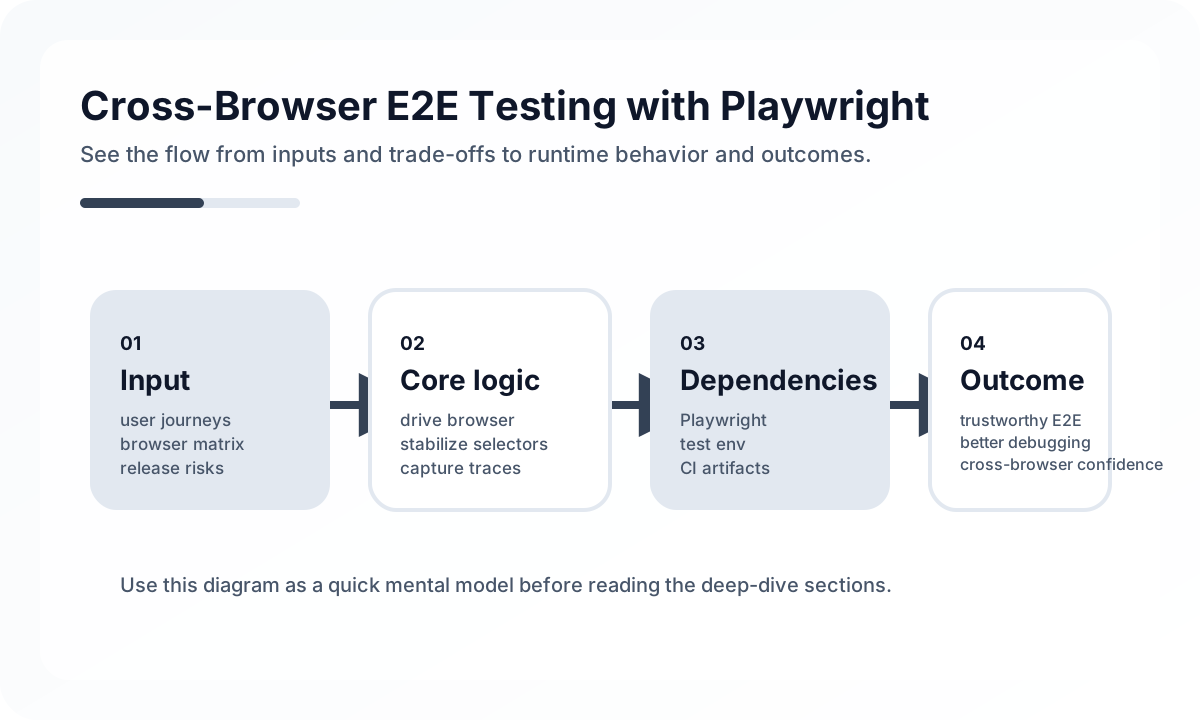
That makes it powerful for release confidence only if the suite stays focused and operationally disciplined.
Use Playwright for flows that justify browser-level proof
Playwright is strongest when the team needs to prove:
- critical login and session flows
- permission-sensitive journeys
- browser-visible behavior across important user paths
- issues that may differ across browsers
It is weaker when used as a substitute for unit, integration, or contract coverage that could have caught the same bug more cheaply.
Locator strategy matters more than browser automation power
Stable tests usually begin with stable locators.
A good priority is often:
- accessibility-aware locators such as role and label
- stable text where appropriate
- test IDs for places where semantics are insufficient
- CSS selectors only as a last resort
If selector strategy is weak, Playwright’s technical power will not save the suite from brittleness.
Cross-browser coverage should stay scoped
Running every test on every browser sounds thorough but often becomes expensive noise.
A healthier strategy usually separates:
- core release-critical flows across the main browser matrix
- narrower browser coverage for lower-risk scenarios
- fast feedback paths on one main browser
Cross-browser value comes from intentional scope, not from brute-force volume.
Reuse authentication state carefully
Playwright can save significant time by reusing authenticated browser state, but this should be done deliberately.
Useful patterns include:
- one-time login setup for stable environments
- separate auth states for role-specific journeys
- avoiding hidden dependence on stale session artifacts
Authentication reuse is a performance optimization. It should not hide failures in the actual login flow, which should still have its own tests.
Network control should support determinism
Like other E2E tools, Playwright is more reliable when the suite clearly decides which dependencies are real and which are controlled.
Practical patterns include:
- mocking unstable third-party dependencies
- using fixture responses for known states
- running a subset of flows against full real integrations
- keeping environment assumptions explicit
This helps the suite stay deterministic without pretending every dependency is perfectly stable.
Diagnostics should be on by default
One of Playwright’s biggest advantages is that failures can be investigated quickly through artifacts.
Teams should usually keep:
- traces available on failure
- screenshots on failure
- video where it materially helps diagnosis
- browser console and network logs accessible when needed
Without these, the team throws away a large part of Playwright’s operational advantage.
Common anti-patterns
Watch for these patterns:
- leaning heavily on brittle CSS selectors
- treating every browser in the matrix as an equal gate for every test
- reusing auth state in ways that hide real flow issues
- disabling traces and then spending long time debugging flaky failures
- using Playwright for scenarios that cheaper layers should own
These patterns make the suite powerful in theory and noisy in practice.
Review checklist
Before calling a Playwright suite healthy, ask:
- Does this flow truly need browser-level proof?
- Are locators stable and semantic?
- Is cross-browser coverage scoped by business value?
- Is authentication reuse controlled and explicit?
- Are traces and diagnostics available by default on failure?
Closing judgment
Playwright is both a browser automation tool and a debugging tool. Stable locators, scoped browser coverage, and routine diagnostic artifact use are what turn it into real delivery leverage.
Continue Reading
Related posts
Cypress E2E Testing Strategy Guide
How to use Cypress as a reliable user-flow validation tool, not just a browser automation script. Covers selector strategy, network control, test data, and ways to reduce flaky tests.
🧪 TestSynthetic Monitoring vs E2E Testing
How to separate release-time end-to-end tests from production synthetic checks without duplicating effort or confusing confidence signals.
💬 LanguageTypeScript Utility Types: A Practical Guide
A production-focused guide to TypeScript utility types. Learn how to model DTOs, update payloads, selectors, and derived types without making your type layer harder to read.
💬 LanguageTypeScript Generics: A Practical Guide
A practical and production-focused guide to TypeScript generics. Learn when generics improve API contracts, when they overcomplicate code, and how to keep inference readable.
Next Path