Getting Started with Mobile Apps Using React Native + Expo
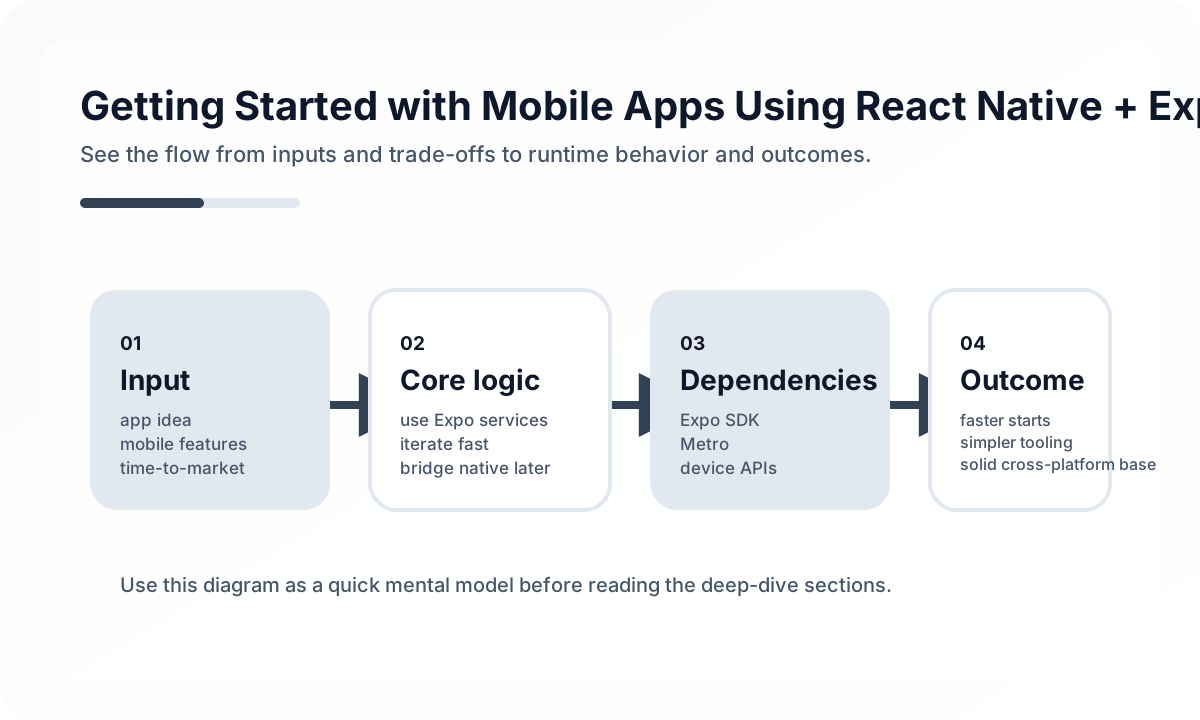
Why Expo Works Well Early
Expo is a strong fit when:
- the team is mostly JavaScript or TypeScript oriented
- time to first release matters more than native customization
- product scope needs validation before deeper platform work
- build and deployment complexity is currently a bottleneck
The managed workflow removes a lot of setup friction that would otherwise slow early iterations.
Managed Workflow vs Native Escape Hatches
The key architectural decision is not “Expo or not Expo.” It is “how much native surface do we truly need right now?”
Many teams exit the managed workflow too early because they assume they will eventually need native modules. That is a poor reason to increase complexity. Stay in the managed path until a concrete requirement forces change, such as a specific SDK, performance need, or platform API gap.
Production Practices Matter More Than Setup
A React Native + Expo app still needs good architecture. Teams should define:
- screen and feature boundaries
- state management ownership
- API client and auth refresh behavior
- crash reporting and performance monitoring
- OTA update safety rules
Expo accelerates delivery, but it does not replace product engineering discipline.
OTA Updates Need Governance
One of Expo’s strongest features is over-the-air update support, but it can also create risk if releases are unmanaged. Treat OTA updates like production deployments:
- define who can publish
- version runtime compatibility clearly
- keep rollback procedures simple
- avoid mixing risky backend contract changes with silent client updates
When Expo Is the Right Choice
Expo is ideal when you want to reach mobile users quickly without carrying full native overhead on day one. Teams that stay deliberate about architecture and release controls can go surprisingly far with Expo before they need to step outside the managed model.
Continue Reading
Related posts
React Navigation 6 Complete Guide
A practical guide to React Navigation 6, the standard navigation library for React Native. Covers Stack, Tab, Drawer, nested navigators, and deep linking.
📱 MobileMobile App Performance Optimization: A Practical Guide for React Native and Flutter
How to optimize performance in React Native and Flutter apps. Covers rendering optimization, image optimization, list performance, memory management, and bundle size reduction.
💬 LanguageTypeScript Utility Types: A Practical Guide
A production-focused guide to TypeScript utility types. Learn how to model DTOs, update payloads, selectors, and derived types without making your type layer harder to read.
💬 LanguageModern JavaScript Syntax Through ES2024
A practical guide to modern JavaScript syntax through an engineering lens. Learn which ES2024-era features genuinely improve code quality and which ones still need restraint.
Next Path