Mobile UI/UX Design Principles: A Guide for Developers
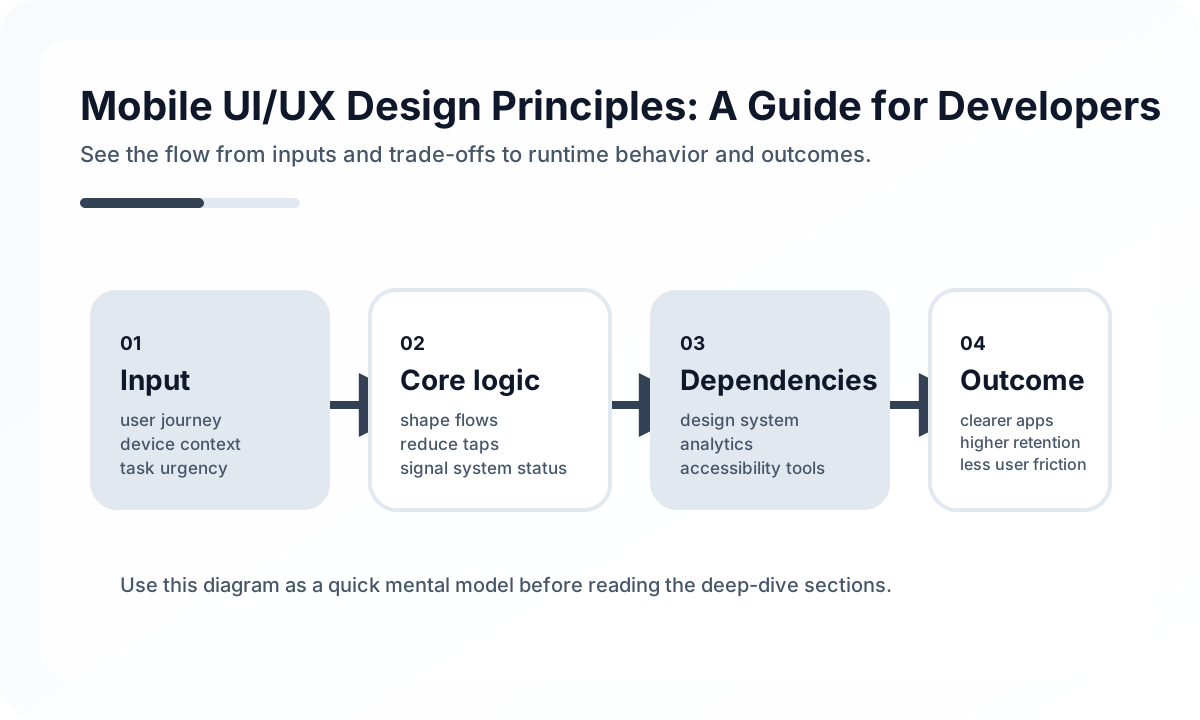
Start With State, Not Screens
Many teams design the happy-path screen first and add the hard states later. That creates unstable products because loading, empty, permission-denied, offline, and retry states end up inconsistent across features.
Define the screen contract before polishing layout.
- What should the user see while data is loading?
- What happens if the request fails?
- Can the user continue partially, or is the screen blocked?
- What information must remain visible during retry?
If those answers are written down early, both design and implementation become simpler.
Interaction Rules That Matter on Real Devices
Touch targets should remain comfortable even when the user is moving, distracted, or using one hand. Gesture-heavy designs also need explicit fallback controls because hidden interactions are easy to miss and hard to test. Respect safe areas, keyboard movement, dynamic text size, and system navigation patterns rather than fighting them.
The practical rule is simple: reduce precision requirements. A user should not need perfect timing or perfect finger placement to complete a basic task.
Platform Differences Still Matter
iOS and Android are closer than they used to be, but users still carry platform expectations.
- iOS users expect smoother back behavior, modal conventions, and typography rhythm.
- Android users expect predictable system back integration and clearer control density.
- Shared design systems are useful, but forcing every interaction to look identical usually creates friction on both platforms.
Consistency is valuable, but platform empathy is more valuable.
Accessibility Is Product Reliability
Accessibility should be treated as a reliability layer, not a compliance checkbox. Large text, screen readers, contrast settings, reduced motion, and voice navigation all expose weak assumptions in the UI structure. If the app only works for a user holding the phone perfectly with default settings, the design is fragile.
Teams should review:
- reading order for screen readers
- semantic labels for icons and actions
- focus movement after dialogs and navigation
- color contrast in both bright and dim environments
- motion-heavy transitions that can confuse or exhaust users
A Production Review Checklist
Before shipping a mobile screen, ask:
- Is the primary action obvious within three seconds?
- Can the screen recover gracefully from loading and error states?
- Does the layout hold up with long text, translated text, and large fonts?
- Does the flow still work with one hand and with the keyboard open?
- Are destructive actions reversible or clearly confirmed?
The strongest mobile products feel simple not because the problem is simple, but because the team removed unnecessary decisions. That is the real job of mobile UI/UX.
Continue Reading
Related posts
Jetpack Compose for Beginners: Declarative Android UI
How to build Android app UIs with Jetpack Compose. Covers Composable functions, state, LazyColumn, ViewModel, and navigation with practical examples.
📱 MobileSwiftUI for Beginners: Building iOS Apps with Declarative UI
A practical introduction to SwiftUI's core concepts. Covers View, State, Binding, List, NavigationStack, and async handling for developers getting started with iOS app development.
🤖 AI / LLMOpsAn Agent Approval UX Playbook
Strong agents do not only automate more. They show clearly when a human should step in. This guide explains approval UX in practical terms.
🖥️ FrontendReconciliation Boundaries in Optimistic UI
Optimistic UI feels fast, but complexity appears when the server disagrees. This guide explains where optimistic updates should stop.
Next Path