Mobile App Performance Optimization: A Practical Guide for React Native and Flutter
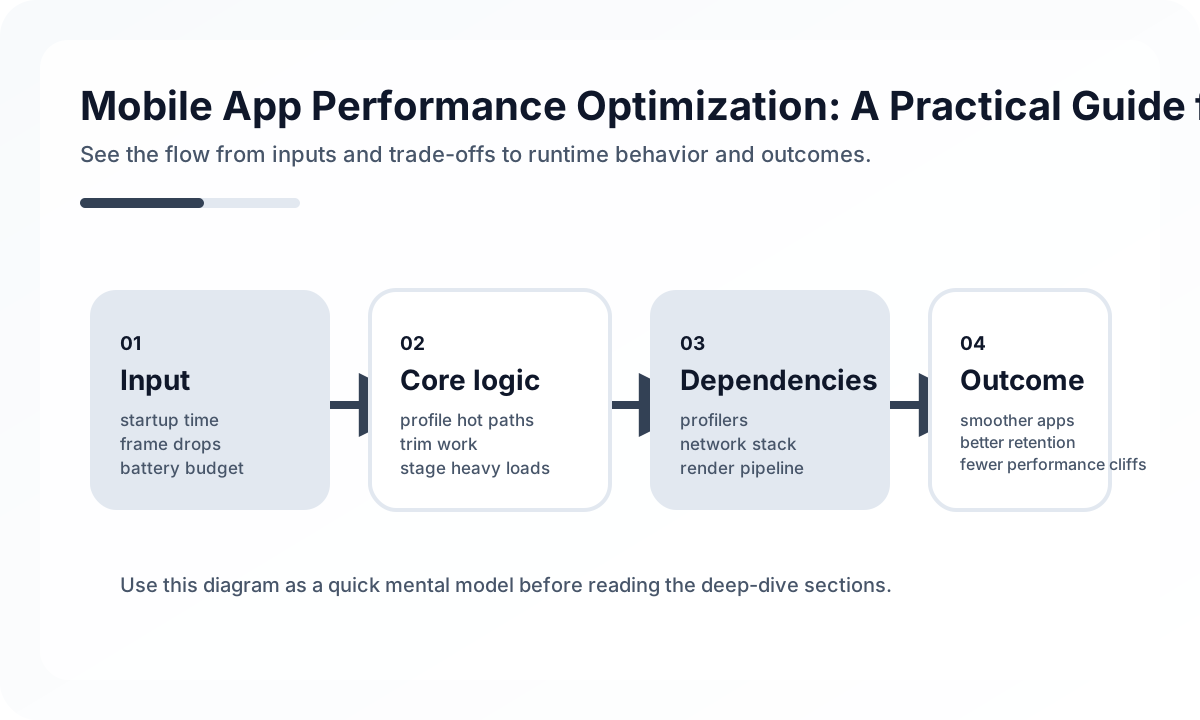
Measure the Right Category First
Start by asking which failure shape you actually have:
- startup delay
- scroll or animation jank
- slow data rendering
- memory growth and process death
- oversized bundles and download cost
These issues need different fixes. Treating all of them as “performance” leads to random tuning and little improvement.
Lists and Images Usually Expose Weakness First
Large lists and rich media are where most mobile apps show their real cost profile. That is true in both React Native and Flutter.
Teams should review:
- unnecessary rerenders or recompositions
- unstable item identity in large lists
- image sizes that exceed display requirements
- synchronous work happening on the main thread
- expensive derived formatting repeated during scroll
If a timeline or catalog screen performs badly, debug the data and rendering contract before adding low-level optimizations.
Startup Performance Is a Product Metric
Users do not care whether your cold start is blocked by fonts, analytics SDK initialization, or synchronous storage reads. They only see a slow app. Prioritize critical-path loading and defer secondary work until after first meaningful paint.
Good startup reviews usually remove:
- eager initialization for noncritical SDKs
- large JSON parsing during launch
- blocking permission prompts too early
- unnecessary asset loading before the first screen is usable
Memory and Battery Need Ongoing Discipline
Performance work is not complete when scrolling is smooth in local testing. Memory leaks, aggressive polling, background retries, and over-frequent state updates turn into battery complaints and crash spikes weeks later.
That is why strong teams monitor:
- frame times
- crash-free sessions
- memory warning frequency
- background task success and retry behavior
- screen-specific latency after release
A Practical Rule
Do not optimize what you cannot attribute. Profile first, classify second, fix third, and re-measure after release. Mobile performance becomes manageable when it is treated as an operational system, not as a one-time polish phase.
Continue Reading
Related posts
React Native vs Flutter: 2026 Comparison Analysis
A practical comparison of the strengths and weaknesses of React Native and Flutter for mobile app development. Covers performance, developer experience, ecosystem, and the job market.
📱 MobileReact Navigation 6 Complete Guide
A practical guide to React Navigation 6, the standard navigation library for React Native. Covers Stack, Tab, Drawer, nested navigators, and deep linking.
🖥️ FrontendOptimizing Core Web Vitals: A Practical Guide to LCP, CLS, and INP
This guide explains Core Web Vitals not as a checklist, but from the perspective of perceived performance and rendering structure. It shows why LCP, CLS, and INP degrade, what to measure first, and how to optimize them in the right order.
🖥️ FrontendDesigning Partial Hydration Boundaries
Frontend performance improves when teams decide what really needs interaction first, not when they hydrate everything immediately.
Next Path