Flutter Riverpod 2.0 State Management Complete Guide
Why Teams Adopt Riverpod
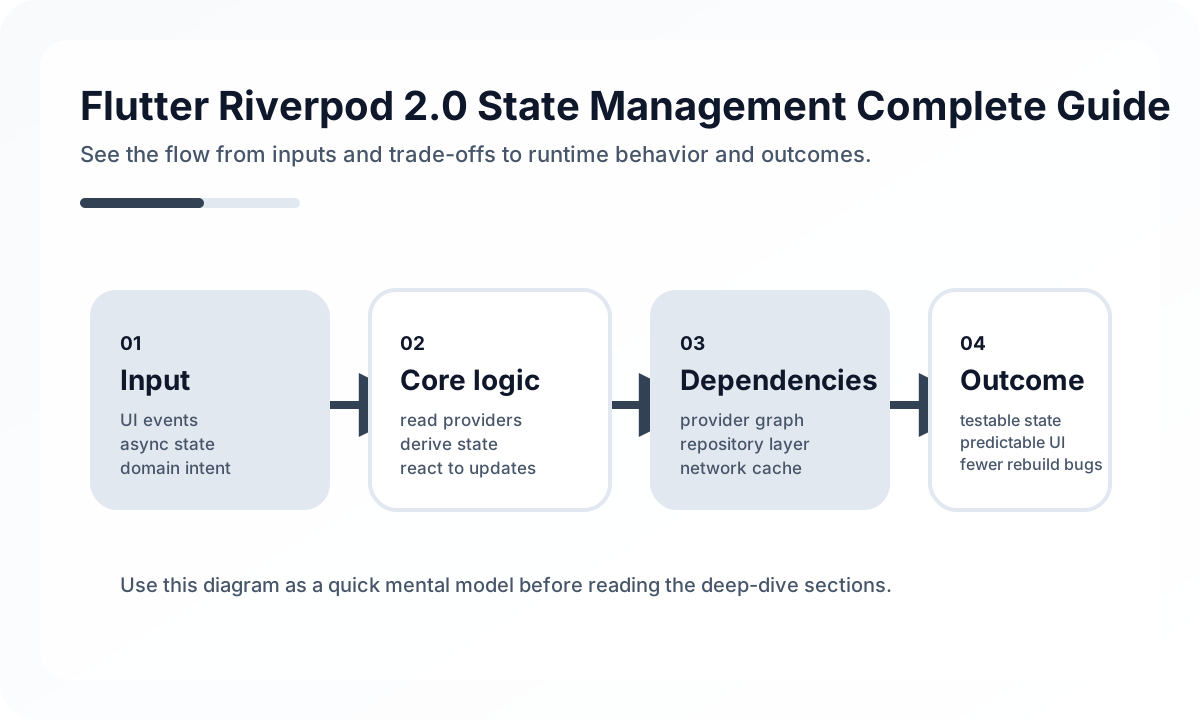
Riverpod makes the dependency graph explicit. Instead of hiding data flow inside widget trees, it gives teams stable boundaries for application state, async workflows, and feature wiring. That helps when multiple engineers are touching the same feature set and bugs are showing up across navigation boundaries.
It is especially useful when you need:
- testable state transitions
- dependency injection without global singletons
- a clear split between UI state and domain state
- predictable async loading and error handling
Choosing the Right Provider Shape
Do not pick provider types by habit. Pick them by lifecycle.
Providerfor cheap derived values and stateless dependenciesStateProvideronly for trivial local values such as sort order or tab selectionNotifierProviderfor synchronous domain rulesAsyncNotifierProviderfor server-backed or disk-backed workflows
The common failure mode is storing too much mutable logic in widgets and using Riverpod only as a fetch wrapper. That wastes most of its structural value.
A Practical Feature Structure
A mobile feature usually benefits from this separation:
final orderRepositoryProvider = Provider<OrderRepository>((ref) {
  return ApiOrderRepository(ref.watch(apiClientProvider));
});

final orderDetailProvider =
    AsyncNotifierProvider<OrderDetailNotifier, OrderDetailState>(
  OrderDetailNotifier.new,
);
The repository hides transport details. The notifier owns loading, refresh, and retry behavior. The widget renders state and dispatches intent. That split is what keeps features debuggable when the app gets larger.
Operational Rules for Production Apps
Treat provider invalidation carefully. Refreshing too aggressively burns battery, creates flicker, and increases API load. Treat optimistic updates carefully as well. If local state changes before the server confirms the mutation, you need explicit rollback rules and user-visible recovery.
Teams also benefit from a short Riverpod checklist:
- avoid business logic inside widget build methods
- keep providers close to the feature that owns them
- prefer immutable state objects for complex flows
- standardize loading, empty, and error models
- write tests for notifier transitions, not just repository mocks
When Riverpod Goes Wrong
Riverpod does not automatically fix architecture. If every screen still talks directly to HTTP clients and every provider is global, the app becomes harder to reason about, not easier.
Used well, Riverpod gives Flutter teams something more important than convenience: a stable mental model for state under real product complexity.
Continue Reading
Related posts
Flutter Widgets Complete Guide: From Layout to State Management
A practical guide to Flutter's core widget system. Covers StatelessWidget, StatefulWidget, key layout widgets, lists, forms, and animations.
📱 MobileMobile App Performance Optimization: A Practical Guide for React Native and Flutter
How to optimize performance in React Native and Flutter apps. Covers rendering optimization, image optimization, list performance, memory management, and bundle size reduction.
🖥️ FrontendReconciliation Boundaries in Optimistic UI
Optimistic UI feels fast, but complexity appears when the server disagrees. This guide explains where optimistic updates should stop.
🖥️ FrontendOptimistic UI and Failure Recovery Design
Optimistic UI is not only about speed. It is about preserving user trust when fast-looking actions later fail.
Next Path