React State Management Strategy Guide
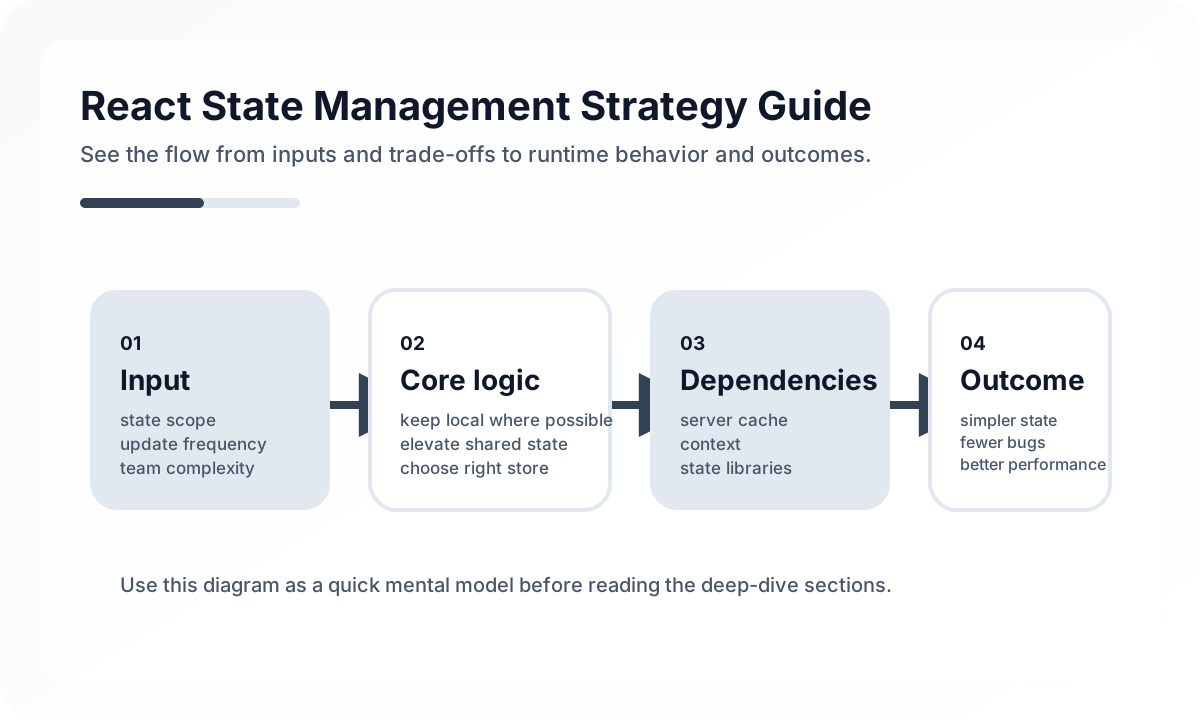
In React, state management discussions often collapse into tool debates. Teams ask whether they should use Context, Zustand, Redux, or TanStack Query together. The more important problem is identifying the kinds of state and their responsibilities first. A good state strategy is less about library choice and more about making ownership and synchronization rules explicit.
Architecture diagram
[URL State]        [Server State]
 filters/page      cache/query data
      |                 |
      +--------+--------+
               v
         [Feature State]
      checkout / editor / flow
               |
               v
           [Local UI State]
      input / modal / hover / draft
State usually gets shorter-lived as you move down this model. URL state is about restoration and shareability, server state is about freshness and cache rules, feature state expresses business flow, and local UI state is transient. If these layers are not separated, either everything ends up in a global store or the same logic gets repeated across screens.
State is not one thing
A React application usually contains at least these four layers of state.
- Local state: input values and UI interaction meaningful only within one component
- Global UI state: modals, toast messages, theme, navigation open state
- Server state: API responses, lists, detail lookups, cacheable and revalidated data
- Domain state: shopping cart, editing flow, multi-step tasks, business data held temporarily
When these are not separated, everything ends up either in Context or inside one oversized global store. In both cases, change impact grows and debugging becomes harder.
Context is a sharing mechanism, not a universal store
React Context is useful for lightweight sharing, but it has limits when it is used for frequently changing state or complex server-backed data. Context makes “available anywhere” very easy, but poor structure makes that convenience expensive in both performance and design.
In production, Context is usually safest when kept to uses like these.
- minimal authenticated user info
- global configuration such as theme or locale
- service access points that act like dependency injection
By contrast, large entity collections, large forms, and server caches are usually a poor fit for Context alone.
Server state should be treated as its own problem
As React projects become more complex, server state is often the first thing that needs to be separated. Remote data is different from local state because it brings freshness, duplicate requests, loading, failure, retries, and invalidation with it. If teams try to solve all that with only useState and useEffect, logic quickly becomes scattered.
A good server-state strategy needs clear answers to questions like these.
- Is the cache key explicit?
- When is the data considered stale?
- Which reads should be invalidated after a write?
- Are optimistic updates allowed?
- What data should be discarded when the user or permission context changes?
These are often better handled by a server-state library or dedicated data layer than by a general global-state library.
Global state should pass a real sharing test
Many teams lift state globally because they think it might be used elsewhere later. In reality, most state matters only inside a feature. Centralizing it too early makes tracing harder and increases unexpected rerenders and dependencies.
State usually deserves a global home only when it falls into categories like these.
- login session and authorization information
- user work context that persists across the app
- domain state used by multiple screens at the same time
- truly global UI control information
If it does not meet that bar, leaving it inside the feature is usually the better choice.
Domain state should be grouped around business flow
A shopping cart, booking flow, editing session, or upload queue is different from generic UI state. These often cross screens, contain validation and derived calculations, and may need persistence or restoration rules.
That is why domain state is better named by business meaning, such as checkoutState, editorSession, or uploadQueue, rather than by technical names like modalStore. The name itself should reveal the responsibility.
Design URL, state, and screen recoverability together
State like filters, sorting, search queries, pagination, and selected tabs often belongs in the URL if users expect it to survive refresh or be shareable. Temporary animation state or hover state usually does not.
A useful rule is to ask whether the state is part of the user context that should be recoverable. If it is, URL synchronization is often the better model.
Many performance problems start with state placement
React performance issues often look like rendering optimization problems, but the root cause is frequently bad state placement. State placed too high causes wide rerenders, and overly centralized global state makes even small updates touch large parts of the tree.
Performance-oriented state questions usually include the following.
- Does this state really need to be owned this high in the tree?
- Could this value be derived instead of stored?
- Can the subscription scope be narrowed?
- Are we copying server state into client global state unnecessarily?
Common anti-patterns
- copying
useEffectfetch results into a global store continuously - putting settings, user info, cached data, and UI state into one Context
- centralizing even local form state so that small changes have global impact
- keeping search and filter state only in memory when it should live in the URL
- letting the same data exist in multiple stores because ownership is unclear
Wrap-up
The core of a React state management strategy is not which library you choose, but whether the nature, lifecycle, sharing scope, and freshness rules of each state type are clearly separated. Centralizing state can feel like control, but at scale it often raises coupling and makes the system more fragile.
A good React architecture is not the one with the most global state. It is the one where only the necessary state lives in the right place.
What Gets Hard in Production
- React state strategy gets harder once local UI state, server cache, form state, and workflow state start getting mixed together.
- Teams usually do not fail because they picked the “wrong library,” but because they never defined state ownership rules.
- Global state that feels convenient at first can become the largest source of hidden coupling.
Architecture Decisions That Matter
- Keep ephemeral view state local unless multiple distant features truly coordinate on it.
- Reserve shared client state for cases where Context + reducer, Zustand, Jotai, or Redux Toolkit provides clear ownership and reuse value.
- Treat server-derived data as server state with its own cache and invalidation policy.
Practical Example
A stable strategy usually distinguishes state by source and lifespan:
local state -> modal open, input draft, tab selection
server state -> fetched list, profile summary, permissions
workflow state -> checkout progress, wizard draft
shared client state -> theme, auth session, feature flags
Anti-Patterns to Avoid
- Promoting every repeated value into global state.
- Duplicating server cache into client stores because it feels easier to access.
- Choosing a tool before defining what problem the state layer is meant to solve.
Operational Checklist
- Write down ownership rules for local, shared, and server state.
- Review whether global stores are shrinking or growing with each feature.
- Measure rerender cost and stale-state incidents.
- Test optimistic and rollback behavior for cross-screen workflows.
Final Judgment
React state management works well when the team treats state as several different architectural classes. One store for everything usually means one source of complexity for everything.
Continue Reading
Related posts
Reconciliation Boundaries in Optimistic UI
Optimistic UI feels fast, but complexity appears when the server disagrees. This guide explains where optimistic updates should stop.
🖥️ FrontendReact Architecture Design Guide
This guide explains how to design a React application as a maintainable system, covering component boundaries, state layers, server state, rendering models, and team collaboration structure.
📈 TrendsWhat the React Foundation Means for Engineering Teams
Why the React Foundation matters beyond governance news, and how it may affect framework coordination, ecosystem stewardship, and long-term frontend strategy.
⚙️ BackendA Practical Guide to CQRS and Event Sourcing
This guide explains CQRS and Event Sourcing in terms of domain boundaries, projections, consistency tradeoffs, snapshots, and operational complexity.
Next Path