React + SPA Architecture Guide
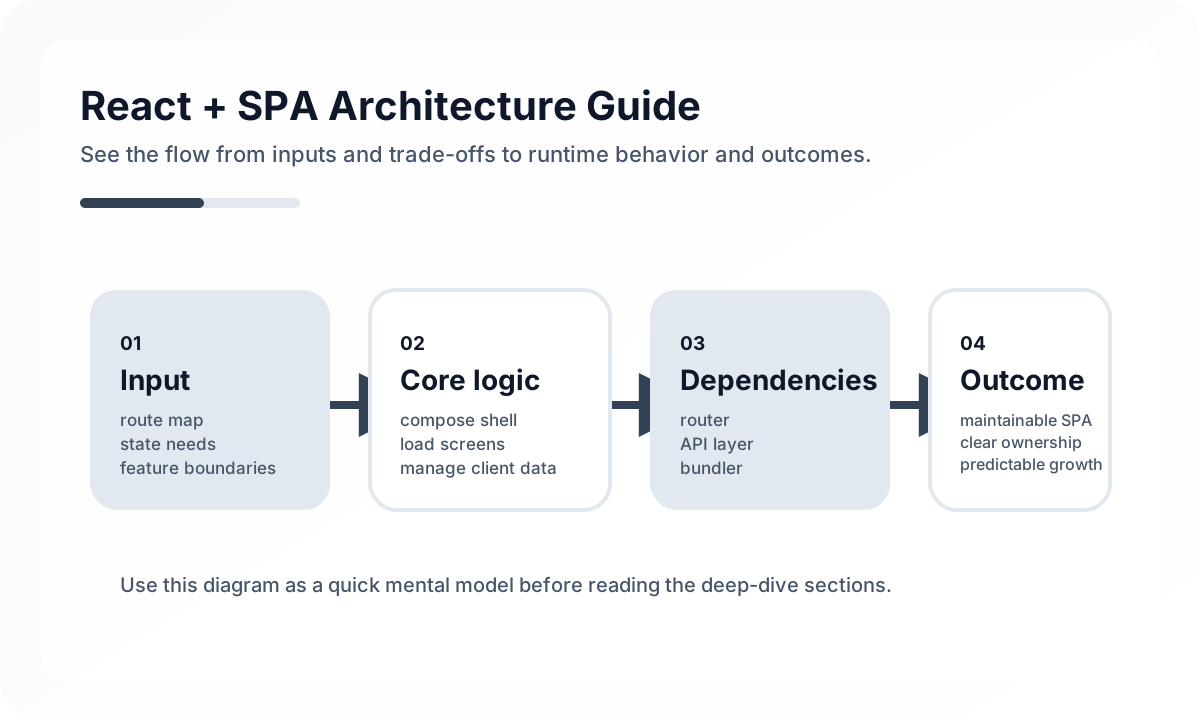
React SPA is one of the most familiar combinations, but that familiarity often leads teams to under-design it. It is strong at quickly assembling screens and composing components, but as application size grows, data flow, state boundaries, routing, performance, and bundle strategy start to interact in ways that create big differences in structural quality.
Good React SPA architecture is not just about splitting components into functions. It requires explicit decisions about where state belongs, which screens should be treated as independent features, and which data should be treated as server state versus UI state.
Architecture diagram
[Browser]
   |
   v
[React Router]
   |
   v
[Page / Feature Shell]
   |
  +---------------------------+
  |                           |
  v                           v
[Server State Layer]     [Global / Local UI State]
  |                           |
  v                           v
[API / BFF]             [Form / Modal / Filters]
  |
  v
[Backend Services]
In SPA architecture, most responsibility stays inside the browser after the first entry. That makes it especially important not to mix routing, server state, and local UI state. As shown above, the router should own URL and screen assembly, the server-state layer should own remote data, and the UI layer should own interactive state.
Problems React SPA fits well
React SPA is especially strong in situations like these.
- product-style services with heavy interaction after login
- screens where fast transitions and rich client interaction matter
- tools where work efficiency and editing experience matter more than SEO
- products where the frontend needs to experiment quickly and independently
By contrast, if search traffic, first-response speed, and metadata previews are core requirements, a pure SPA often reaches its limits and SSR or static rendering should be considered.
Organize by feature, not just by technical folder type
As a React SPA grows, one common failure mode is ending up with only technical folders like pages, components, hooks, and utils while the actual product boundaries disappear. The screens still exist, but the product structure no longer does.
A feature-oriented structure is usually better in production. For example, units like features/orders, features/billing, and features/editor can keep API access, hooks, components, and tests together. Shared UI and infrastructure can stay in separate layers, but product-specific logic should close around the feature boundary.
Think in four kinds of state
One of the biggest reasons React projects become complicated is treating “state” as one problem. In reality, different state categories have different rules.
- Server state: data fetched from APIs that requires synchronization and refetching
- Global UI state: toast, modal, theme, sidebar open state
- Domain state: shopping cart, editing session, multi-step form progress
- Local state: component-level input values, hover state, open dropdowns
A common failure is pushing everything into one Context or one global store. Once server state gets treated like general global state, synchronization and caching collapse. Once local state is centralized too, coupling rises sharply.
Routing is both URL design and a screen contract
Tools like React Router are not just about moving between screens. The URL is visible to the user and directly tied to browser history, access control, loading timing, deep linking, and screen recovery.
That means route design should consider the following.
- which screen state should be exposed in the URL
- whether tabs, filters, sorting, and pagination should survive refresh
- how nested routes support layout reuse and permission boundaries
- whether the same detail state can be reconstructed from multiple entry paths
A well-designed SPA can recover a large part of user context from the URL alone.
Pull the data layer out of components
At the beginning of a React project, directly calling fetch in useEffect looks acceptable. Once the number of screens grows, loading, errors, retries, caching, concurrent requests, and duplicate-request prevention quickly make maintenance harder.
It is better to create a dedicated layer for server state. Whether that means using TanStack Query or a custom pattern, the important part is standardizing data-access rules.
- What cache key should this use?
- When should it refetch?
- Which ranges should be invalidated after a write?
- How far should optimistic updates be allowed?
Without those rules, every screen ends up handling data differently.
Separate presentation from composition
React is great at composition, but composition alone does not guarantee good structure. If you chase generic reuse too hard, business context disappears. If screen-specific logic gets embedded directly in UI components, reuse and testability suffer.
A practical guideline looks like this.
- design-system components should own presentation only
- feature components should assemble the screen for a specific use case
- pages should orchestrate data and feature blocks
Keeping those three layers distinct helps avoid a codebase with many components but no real structure.
Performance depends more on split strategy than micro memoization
When React SPA performance problems appear, many teams immediately add memo, useMemo, or useCallback. Most bottlenecks actually come from higher-level structural issues.
The more important production questions are these.
- How much can the initial bundle be reduced?
- Is code split by route and feature?
- Are list rendering and virtualization needed?
- Are refetches or cache invalidations too aggressive?
- Is there input lag in forms and editors?
In other words, SPA performance depends more on which code loads when and where state changes happen than on local Hook-level micro-optimizations.
Error handling and observability are part of architecture
Because React SPAs run in the browser, errors can look less important than on the server. In production, they are often harder to control because of browser differences, variable networks, third-party scripts, and extensions.
That is why it helps to design these early.
- error boundary strategy
- API error display policy
- user action logging and critical event tracking
- integration between frontend error collection and releases
- instrumentation for slow screens and failed requests
Common structural problems in React SPA
- global state grows into a database
- page components carry API logic, authorization, and rendering at the same time
- URL state and UI state drift apart and deep links break
- server state is managed manually in
useEffectwith inconsistent loading rules - shared component abstractions become too generic and slow product work
Wrap-up
The core of React SPA architecture is not “How should components be divided?” but How should state, features, URL semantics, and data flow be separated and connected? As scale grows, React’s flexibility can be a strength, but without team rules it quickly becomes structural debt.
In the end, a good React SPA is not the app that uses many libraries. It is the app that can operate a highly interactive product experience with consistent rules.
What Gets Hard in Production
- React SPA architecture gets hard when navigation, data fetching, permissions, and layout persistence evolve independently.
- Long-lived browser sessions expose memory leaks, stale cache behavior, and implicit global state more quickly than teams expect.
- The SPA model is still viable, but only if the page lifecycle is treated as a system rather than a set of screens.
Architecture Decisions That Matter
- Center route ownership around React Router and explicit screen boundaries.
- Define how server data is cached, invalidated, and refreshed across route transitions.
- Keep application shell, feature modules, and shared domain logic separated.
Practical Example
A reliable SPA usually separates shell, feature routes, and data access concerns:
app shell
  -> route modules
    -> screen containers
      -> presentational components
  -> shared query layer
  -> shared auth/session layer
Anti-Patterns to Avoid
- Letting route components fetch everything ad hoc with no common policy.
- Keeping too much transient state alive across navigations.
- Growing a monolithic
src/pagesdirectory with no feature ownership.
Operational Checklist
- Review route-level bundle size and transition latency.
- Track stale cache and duplicated request patterns.
- Test browser navigation and reload behavior on critical workflows.
- Measure memory growth during long sessions.
Final Judgment
React SPAs remain a strong choice for interaction-heavy products, but only when route transitions, state ownership, and cache policy are architected deliberately.
Continue Reading
Related posts
React Architecture Design Guide
This guide explains how to design a React application as a maintainable system, covering component boundaries, state layers, server state, rendering models, and team collaboration structure.
🖥️ FrontendReact Design System Architecture Guide
This guide explains the tokens, component layers, accessibility, and release strategy needed to design a React-based design system in production.
📈 TrendsWhat the React Foundation Means for Engineering Teams
Why the React Foundation matters beyond governance news, and how it may affect framework coordination, ecosystem stewardship, and long-term frontend strategy.
⚙️ BackendA Practical Guide to CQRS and Event Sourcing
This guide explains CQRS and Event Sourcing in terms of domain boundaries, projections, consistency tradeoffs, snapshots, and operational complexity.
Next Path