React Design System Architecture Guide
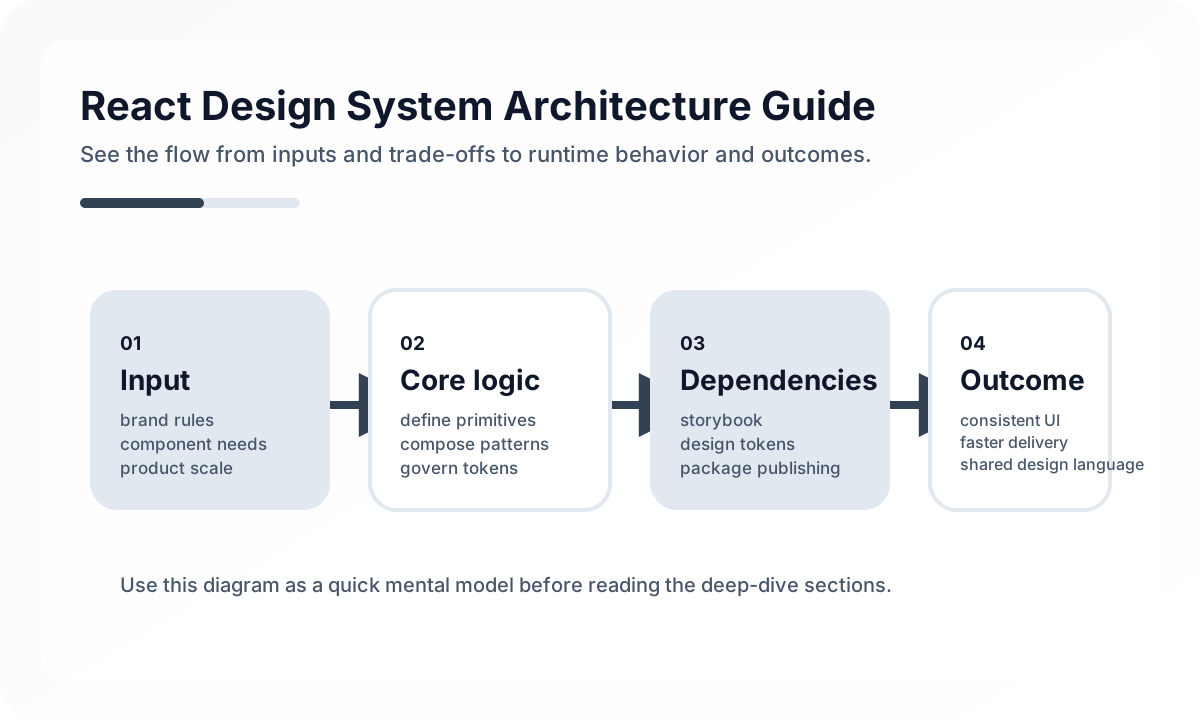
A design system is not just a project for sharing a few buttons. In production, it is an operating model that bundles visual language, interaction rules, accessibility standards, implementation consistency, and release strategy. The React ecosystem makes design systems powerful because components are highly composable and state patterns are rich. The downside is that poorly designed systems can become extremely generic while making product teams slower instead of faster.
Architecture diagram
[Design Tokens]
   color / spacing / type / motion
             |
             v
[Primitives]
 Button / Input / Text / Stack
             |
             v
[Composites]
 Modal / Table / Tabs / Form
             |
             v
[Product Patterns]
 Search Bar / Checkout Form / Header
             |
             v
[Applications]
In a good design system, lower layers support the rules of higher layers. Tokens define policy, primitives implement those rules, and composites and patterns enable real product assembly. If layers get mixed, either common components absorb product logic or product teams start bypassing the system entirely.
Clarify the goal first
Many teams begin design systems as a “remove duplication” effort. That can help, but the more important goals are usually these.
- keeping visual and interaction consistency across products
- embedding accessibility standards into the default UI
- improving implementation speed
- controlling change impact
- creating a shared language between designers and developers
Without those goals, the system becomes just a component catalog and teams keep piling on exceptions.
Without tokens, components end up carrying policy
The architectural starting point of a design system is usually tokens. If color, spacing, typography, radius, shadow, layering, and motion are not abstracted as tokens, individual components end up carrying visual policy directly.
The result is that changing one button can turn into a brand-wide update, and theme expansion gets much harder. In React design systems, the token layer needs to be stable before the component layer can be.
Separate component layers
Not all design-system components live at the same level. A practical split often looks like this.
- Foundation: tokens, color, typography, spacing, z-index rules
- Primitive: basic building blocks like Button, Input, Text, Icon, Stack
- Composite: high-level components like Modal, Dropdown, Tabs, Table, DatePicker
- Pattern: product-adjacent combinations such as page headers, search filter bars, or form layouts
When these layers blur, system components absorb product logic or product screens keep bypassing the shared layer.
Design the boundary between headless and styled components
One of the recurring questions in React design systems is how tightly to couple behavior and style. Components that need accessibility and keyboard behavior may benefit from a headless shape, while brand-critical base UI often benefits from a more opinionated styled approach.
In practice, it is usually better not to force one philosophy across everything.
- Components that must preserve brand consistency should be opinionated.
- Components that require large variation and product-specific composition should allow headless or slot-based extension.
Accessibility is a default contract, not a checklist
Buttons, modals, menus, tabs, toasts, dialogs, and comboboxes lose much of their value if accessibility is missing. A design system should prevent product teams from having to rediscover ARIA and keyboard behavior on every implementation.
That is why accessibility should be part of the default component contract, not an appendix to the documentation.
API design should favor usability over implementer convenience
The public API of design-system components should reduce cognitive load for consuming teams, not just make implementation easy for system maintainers. If a component exposes too many props and too many variant rules, teams often abandon it and build their own version.
Useful API criteria include the following.
- Is the default usage intuitive?
- Are variant options explicit?
- Is it too easy to bypass styles and break consistency?
- Are composition points clearly separated from prohibited extension points?
Release and version strategy are architecture too
A design system is not complete just because the code is good. It matters how it is released, how product teams upgrade it, and how breaking changes are managed. If this part is ignored, the system can succeed technically and fail organizationally.
The following are especially important.
- versioning policy and release notes
- visual regression testing
- synchronization between docs and examples
- mechanisms to track change impact
Common anti-patterns
- solving style policy at the component level without tokens
- absorbing product logic into the system in the name of reuse
- building APIs so abstract that real usage becomes worse
- treating accessibility like an optional add-on
- accumulating code without documentation or release strategy
Wrap-up
The core of React design system architecture is not producing many components. It is creating an operable contract that lets product teams get both consistency and speed. A design system is less like a UI library and more like the frontend operating model of the organization.
A good design system is not just a collection of pretty components. It is the foundation that lets designers, developers, and product teams move in the same language.
What Gets Hard in Production
- React design systems fail when components are shared widely but their contracts, tokens, and accessibility guarantees are weak.
- The real challenge is not creating a button library. It is preserving consistency while product requirements diversify.
- A mature system must balance reuse, escape hatches, and governance.
Architecture Decisions That Matter
- Separate design tokens, primitives, patterns, and product-specific components.
- Treat accessibility, theming, and composition APIs as first-class architecture.
- Version component contracts and migration rules deliberately.
Practical Example
A healthy design system stack usually has clear layers:
tokens -> color, spacing, typography
primitives -> Button, Input, Stack
patterns -> FormSection, DataTableToolbar
product features -> page-specific composition
Anti-Patterns to Avoid
- Putting product-specific logic into supposedly generic components.
- Expanding props endlessly instead of designing composition points.
- Ignoring accessibility debt until adoption is already broad.
Operational Checklist
- Review API surface growth for shared components.
- Keep usage examples and constraints documented.
- Test accessibility and theme variants continuously.
- Track where teams bypass the system and why.
Final Judgment
React design systems become flagship assets when they define reliable constraints, not just reusable parts. Governance and contract quality matter as much as visual consistency.
Continue Reading
Related posts
React Architecture Design Guide
This guide explains how to design a React application as a maintainable system, covering component boundaries, state layers, server state, rendering models, and team collaboration structure.
🖥️ FrontendReact + SPA Architecture Guide
This guide explains the screen boundaries, state structure, routing, data layer, and performance strategy needed to design a React-based SPA in production.
📈 TrendsWhat the React Foundation Means for Engineering Teams
Why the React Foundation matters beyond governance news, and how it may affect framework coordination, ecosystem stewardship, and long-term frontend strategy.
⚙️ BackendA Practical Guide to CQRS and Event Sourcing
This guide explains CQRS and Event Sourcing in terms of domain boundaries, projections, consistency tradeoffs, snapshots, and operational complexity.
Next Path