Nuxt Architecture Design Guide
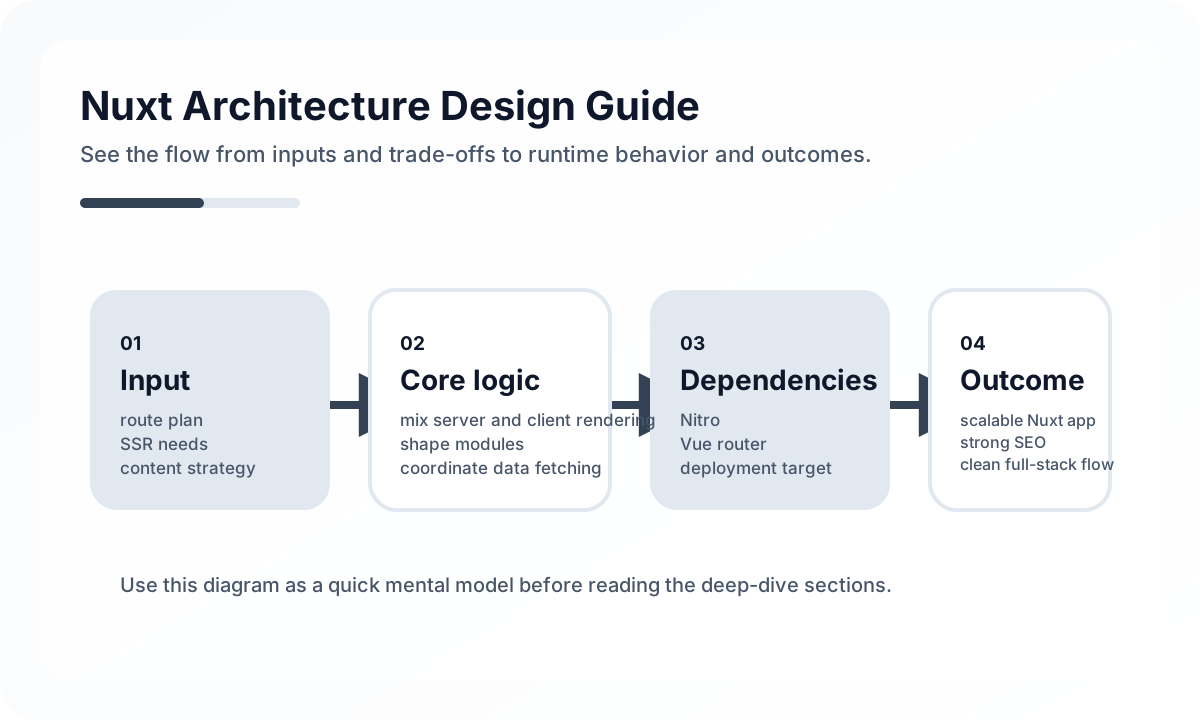
Nuxt is a Vue-based SSR framework, but in production it quickly becomes unstable if teams approach it as just “Vue with SSR attached.” Nuxt gives you routing, server rendering, data fetching, caching, and deployment conventions as one application model, so using it is closer to adopting a rendering-centered operating model than merely picking a framework.
A good Nuxt architecture answers questions like these before it worries about component aesthetics.
- Which pages should render on the server first?
- Which data is required at request time and which can load later?
- Should authentication and authorization be decided on the server or the client?
- Which matters more for this product: SEO, response speed, or operating cost?
What to expect when choosing Nuxt
Nuxt’s main value is that it gives the Vue ecosystem consistent SSR, routing rules, and data-fetching conventions. Teams share the same model around file-based routing, useAsyncData, server API routes, layouts, and middleware, which reduces page-by-page drift.
It is especially effective in situations like these.
- services that mix marketing pages and product pages
- commerce, media, and documentation products where SEO and first-render quality matter
- Vue-preferring frontend teams that want the framework to carry more of the server-rendering model
- products trying to reduce client-heavy loading costs from a pure SPA
If the app is almost entirely post-login, highly personalized, and not SEO-driven, the added complexity of Nuxt may deliver less value.
Architecture diagram
[Browser Request]
       |
       v
[Nuxt Route / Layout]
       |
   +---+----------------------+
   |                          |
   v                          v
[Server API / useAsyncData] [Client Interaction]
   |                          |
   v                          v
[BFF / External API]     [Pinia / Local UI State]
   |                          |
   +------------+-------------+
                v
        [Rendered HTML + Hydration]
Nuxt is not just a Vue app. It coordinates server-rendered content and client-side interaction in one framework. Public-page data should often be prepared on the server boundary, while post-login interaction should continue as client state. That is why rendering strategy and data boundaries need to be designed together.
Basic layers in a Nuxt architecture
A Nuxt project is usually easier to reason about with these layers.
- Route layer: pages, layouts, route middleware
- Page composition layer: page-level data needs and screen assembly
- Domain layer: feature state, use cases, business rules
- Infrastructure layer: API client, cache, auth, logging
- Rendering layer: SSR, SSG, CSR, and hybrid rendering strategy
One common mistake is letting pages do everything. Once API calls, authorization decisions, UI state, and data normalization all live directly inside pages/, Nuxt loses much of its structural advantage.
Why pages and feature boundaries should stay separate
Nuxt makes page creation easy because of file-based routing. That convenience often tempts teams to let route structure become application structure. If /products/[id].vue contains product detail fetching, recommendation logic, cart state, and tracking events all together, the URL is clear but the feature boundary is gone.
In practice, it is better to treat pages as entry points only and keep actual capabilities inside features or domains. Pages declare which feature modules they need, and each module owns its data loading, presentation, and state boundaries.
Design the SSR and CSR balance first
One common misunderstanding after adopting Nuxt is assuming every page should be SSR. In reality, SSR helps with initial HTML, SEO, social previews, and first paint, but it also brings server cost, caching questions, and consistency trade-offs.
A more realistic split is often this.
- SSR-first pages: public pages with search traffic and sharing value
- SSG/ISR-like pages: pages that change slowly but need strong initial quality
- CSR-first pages: dashboards, settings, and internal tools after login
The goal is not to unify everything under one rendering mode, but to choose deliberately per page type.
Split data fetching by when it is needed
Nuxt offers several ways to reach data, including useAsyncData, useFetch, and server API routes. The real issue is not that there are many tools, but whether the team has consistent rules for when to use each.
A practical default is simple.
- prepare data on the server if it must exist before first render
- fetch on the client for interaction-driven follow-up data
- hide direct external API communication behind a server boundary
- let the server be the first authority for auth-sensitive data
A BFF-style /server/api layer is especially useful because it centralizes token handling, header shaping, cache rules, and error mapping.
State management is a boundary problem, not just a store problem
Pinia is easy to adopt in the Vue ecosystem, but as soon as every kind of state goes into one store model, the global layer becomes the coupling point of the whole system. In Nuxt, it is healthier to distinguish these categories.
- server data state: API responses, cache, revalidation targets
- session state: logged-in user, permissions, token presence
- UI state: modals, filter panels, selected tabs
- domain state: cart, in-progress forms, multi-step flows
Without those distinctions, one Pinia store turns into a database and SSR stability gets worse.
Design authentication and authorization server-first
A common mistake in Nuxt apps is checking login state only on the client. That often creates mismatches between the first render and the real permission state, leading to flicker or incorrect access.
A safer production structure is usually this.
- verify cookie-based sessions or user context at request time
- use route middleware for UX control, but keep final authorization in the server API
- treat client-side permission state as a display optimization, not a security boundary
Cache strategy determines Nuxt operating quality
SSR framework performance is not determined by frontend code quality alone. What matters is how long data can be cached, whether page responses can be reused at the CDN layer, and how public and user-specific responses are separated.
Nuxt teams should always ask these questions.
- Is this response user-specific or shared?
- Does this data really need real-time freshness?
- If the API is the bottleneck, is page cache or data cache the better lever?
- What events invalidate this cache?
Using SSR without designing cache usually produces a server-rendered app that is still slow.
Organization and deployment model matter too
Nuxt is not just a code-level choice. It also affects Node runtime operations, proxy configuration, environment-variable management, image optimization, CDN policy, and whether the service will run in serverless mode or not. Teams used only to static deployment often find the operating model shift larger than the development shift.
It is especially useful to confirm the following.
- whether the deployment environment supports SSR runtime reliably
- whether server logs and frontend logs can be connected for tracing
- whether build-time and runtime config are managed consistently by environment
- whether there is a graceful fallback when SSR fails
Common failure points in Nuxt
- page files grow into giant orchestration files
- Pinia absorbs all state and becomes a global coupling point
- server and client data-fetching rules become inconsistent
- authentication relies too heavily on the client
- all requests go to origin APIs because there is no cache strategy
- teams expect SSR and SEO wins but end up with hydration errors and performance problems
These problems usually come not from Nuxt itself, but from using the framework without a clear rendering model.
Practical design principles
- keep pages as entry points and move domain features into separate modules
- standardize data fetching by timing and cacheability
- route external API access through the server layer when possible
- design auth and authorization around the server boundary
- minimize global state and separate server state from UI state
- connect the reason for SSR directly to SEO, first render, and operational needs
Wrap-up
The core of Nuxt architecture is not adding SSR to Vue. It is aligning rendering strategy, data flow, and the operating model under one set of rules. Good Nuxt applications come not from component design alone, but from clear decisions about which pages render where, which data the server owns, and which interactions the client should carry.
Using Nuxt well is ultimately less about knowing many framework features and more about translating product requirements into the right rendering structure.
What Gets Hard in Production
- Nuxt reduces framework wiring, but large apps still face the same hard questions around data ownership, caching, route boundaries, and runtime configuration.
- Convention becomes a liability when teams pile business-specific behavior into plugins and middleware with no layering rules.
- SSR, static generation, and hybrid rendering can create subtle inconsistency if page rendering strategy is chosen ad hoc.
Architecture Decisions That Matter
- Decide whether the app is primarily content-driven, dashboard-driven, or transaction-driven, because the Nuxt rendering strategy should follow that shape.
- Keep composables, server routes, and shared utilities on clear boundaries instead of letting everything become auto-imported global convenience.
- Centralize runtime config and cache policy so route behavior remains predictable across environments.
Practical Example
A robust Nuxt structure makes page ownership and server ownership explicit:
pages/
  dashboard.vue
  products/[id].vue
components/
composables/
server/api/
server/utils/
plugins/
Anti-Patterns to Avoid
- Using plugins as a dumping ground for business logic.
- Switching rendering modes page by page without shared performance criteria.
- Relying on auto-import convenience so heavily that module ownership becomes invisible.
Operational Checklist
- Review rendering mode per route family, not per individual whim.
- Document which composables are public shared APIs.
- Measure server render cost, payload size, and route cache hit rate together.
- Keep server API handlers versioned and testable as first-class backend code.
Final Judgment
Nuxt excels when convention removes low-value wiring and leaves room for deliberate system design. It becomes messy when convention is used to hide architecture instead of simplify it.
Continue Reading
Related posts
Vue + SSR Architecture Guide
This guide explains when to adopt SSR in Vue, how it differs from SPA, and how to think about data loading, caching, hydration, and deployment from a practical engineering perspective.
🖥️ FrontendNuxt vs Next.js In-Depth Comparison Guide
This guide compares Nuxt and Next.js in practical terms through the lens of rendering models, developer experience, operational complexity, team structure, and SEO strategy.
⚙️ BackendA Practical Guide to CQRS and Event Sourcing
This guide explains CQRS and Event Sourcing in terms of domain boundaries, projections, consistency tradeoffs, snapshots, and operational complexity.
💬 LanguageType Narrowing at I/O Boundaries
A type system is strong inside the application, but external input still needs to be narrowed and validated early. This guide explains the boundary strategy.
Next Path