Nginx Configuration Design Guide
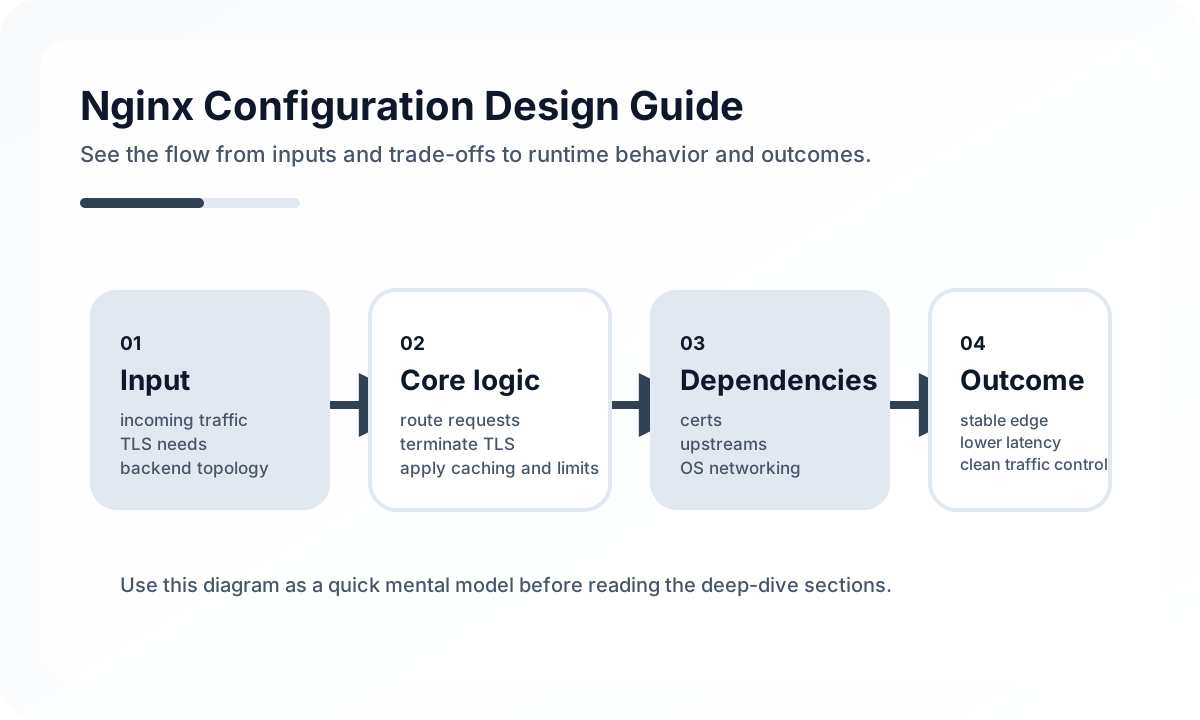
Its core role is to buffer between clients and backends
server {
    listen 80;
    server_name api.myapp.com;

    location / {
        proxy_pass http://localhost:8080;
        proxy_set_header Host $host;
        proxy_set_header X-Forwarded-For $proxy_add_x_forwarded_for;
        proxy_set_header X-Forwarded-Proto $scheme;
    }
}
Even this basic structure gives you a stable proxy layer between clients and the application. What matters is looking at header forwarding, timeouts, keepalive, and upstream failure handling together.
For SSL, operating procedure matters more than certificate installation
Moving to HTTPS is close to mandatory, but the real operational points are certificate renewal automation, HTTP-to-HTTPS redirection, the scope of HSTS, and policy for communication with internal services.
You need to think through how static files and APIs are separated
Nginx is strong at serving static files, so it works well for directly serving frontend build assets or sitting in front of a CDN. But if APIs and static assets are handled in the same server block, you need to keep caching policy and path rules from interfering with each other.
Upstreams and load balancing reduce failure propagation
When you have multiple instances, upstream configuration lets you spread requests across them. But health checks, retry behavior, and timeout values matter more than simple round robin. Bad timeout choices can amplify failures in the proxy layer instead of the application layer.
Common mistakes
Teams often forget WebSocket proxy headers, or leave body size limits and timeout values at defaults, causing large requests to fail midstream. Security headers and log formats are also often left too generic, which makes incident tracing harder.
Closing thoughts
Nginx looks easy to configure, but in reality it is a central point for traffic control and failure buffering. If you manage proxy settings, SSL, timeouts, caching, and logging systematically, you can improve stability and performance significantly without changing the application itself.
What Gets Hard in Production
- Nginx configuration is fundamentally about request flow control: routing, buffering, caching, TLS, and failure behavior.
- Small config shortcuts can create large operational side effects such as timeouts, stale responses, or security exposure.
- The danger is not complexity alone, but complexity nobody can explain.
Architecture Decisions That Matter
- Separate concerns among static delivery, reverse proxying, TLS termination, and caching.
- Define timeout, buffering, and upstream retry policy deliberately.
- Keep include structure and environment overrides readable so changes remain reviewable.
Practical Example
A healthy reverse proxy config makes upstream behavior explicit:
location /api/ {
  proxy_pass http://backend;
  proxy_connect_timeout 3s;
  proxy_read_timeout 30s;
  proxy_set_header X-Forwarded-For $proxy_add_x_forwarded_for;
}
Anti-Patterns to Avoid
- Copying snippets from different guides until the config “works.”
- Turning on caching or compression without measuring impact and correctness.
- Combining unrelated routing policies into one unreviewable server block.
Operational Checklist
- Validate config changes with syntax and canary rollout.
- Monitor upstream latency, 499/502/504 patterns, and cache hit behavior.
- Review TLS settings and certificate rotation process.
- Document ownership of critical includes and environment overrides.
Final Judgment
Nginx is reliable when request behavior is explicit and observable. It becomes risky when configuration evolves by snippet accumulation.
Continue Reading
Related posts
Linux Server Security Operations Guide
This article organizes the core security baseline for running Linux servers safely in production, covering SSH hardening, least privilege, patching, firewalls, audit logs, and operating procedures in a checklist-oriented way.
🚀 DevOpsKubernetes Advanced Operations — HPA, Resource Management, and Pod Scheduling
This article explains Kubernetes operations not as a collection of settings but from the perspective of resource placement and resilience. It covers when and how to use requests/limits, HPA, affinity, taints, PDBs, and probes in real environments.
📚 IT StoriesHow Containers and Kubernetes Changed the Feeling of Deployment
Deployment once felt like a tense event. Containers and Kubernetes helped turn it into something more repeatable, automated, and systematized.
🔧 ToolsDocker Desktop Practical Guide for Managing Development Environments
A practical guide to using Docker Desktop as a local development standard through Compose, volume strategy, resource tuning, Dev Containers, and onboarding design.
Next Path