Kubernetes Advanced Operations — HPA, Resource Management, and Pod Scheduling
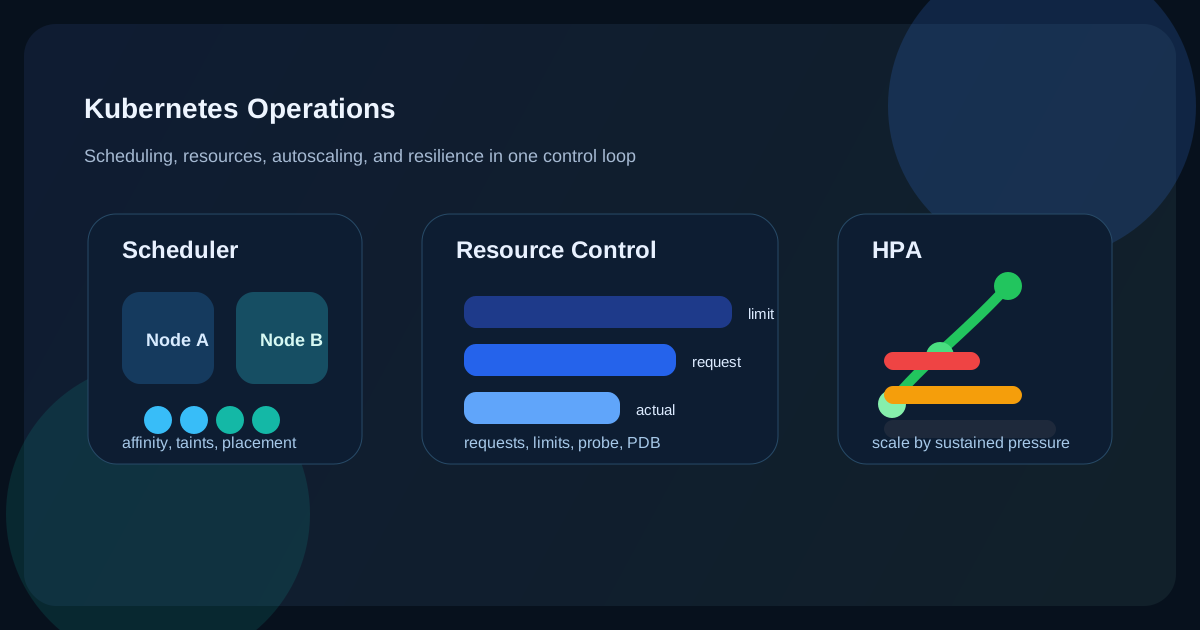
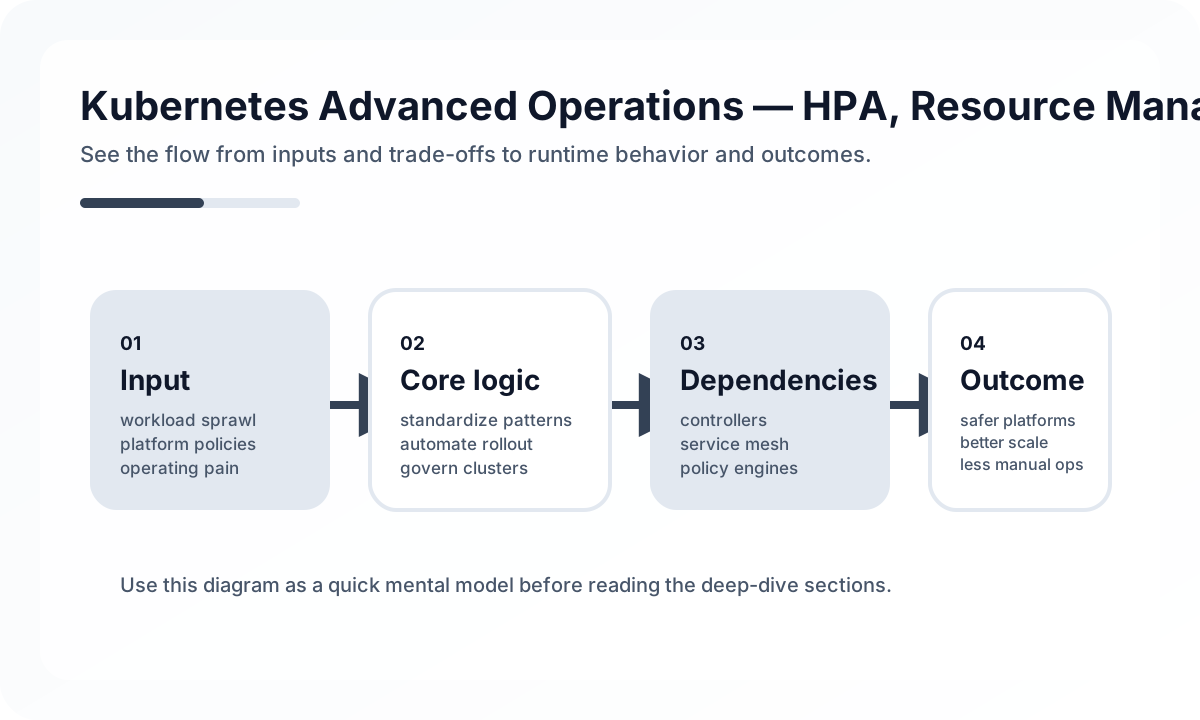
In other words, the essence of Kubernetes operations is not knowing a lot of YAML. What matters more is deciding how cluster resources are allocated and which services should be protected first during failures.
This article goes beyond introducing HPA, requests and limits, scheduling, and disruption budgets one by one. It explains how they actually work together in production.
Architecture overview
[Traffic Increase]
       |
       v
[Service / Ingress]
       |
       v
[Pods]
  |         |
  v         v
Probe    Resource request/limit
  |         |
  +-----> [Scheduler]
               |
               v
            [Nodes]
               |
               v
           [HPA / PDB]
In Kubernetes operations, what matters is not the individual YAML options, but how these components work together. Probes filter out unhealthy Pods, requests and limits determine scheduling and QoS, and HPA and PDB balance scaling against stability. In practice, that means you need a view of the whole control loop, not just one setting at a time.
Requests and limits are not just numbers, but a scheduling contract
resources:
  requests:
    cpu: "250m"
    memory: "256Mi"
  limits:
    cpu: "500m"
    memory: "512Mi"
Many teams set requests and limits to rough numbers, but their actual meaning is significant.
requests: the minimum guaranteed amount the scheduler uses to decide where a Pod can be placedlimits: the upper bound a container is allowed to consume
If you do not understand that difference, two problems appear often.
- Requests are set too low, so the Pod fits onto a node but quickly struggles under real load.
- Limits are set too low, causing frequent CPU throttling and OOMKills.
So requests and limits are not performance knobs. They are closer to a resource contract between the cluster and the application.
QoS classes determine priority under resource pressure
Guaranteed: requests == limitsBurstable: requests < limitsBestEffort: no resource settings
This classification is not just informational. It affects which Pods are evicted first when node resources run low. For important production services, at minimum Burstable is usually appropriate, and core workloads are often safer when managed close to Guaranteed.
Memory settings must be considered with runtime behavior
apiVersion: apps/v1
kind: Deployment
metadata:
  name: order-service
spec:
  template:
    spec:
      containers:
        - name: app
          image: order-service:1.2.0
          env:
            - name: JAVA_OPTS
              value: "-Xms512m -Xmx512m -XX:+UseContainerSupport"
          resources:
            requests:
              cpu: "500m"
              memory: "768Mi"
            limits:
              cpu: "1000m"
              memory: "768Mi"
For applications with runtime overhead, such as Java, sizing memory from heap alone leads to OOMs quickly. You also need to account for metaspace, thread stacks, and native memory. In other words, Kubernetes resource tuning is not something you can do well without understanding the application runtime.
HPA is not magic, but a delayed control system
apiVersion: autoscaling/v2
kind: HorizontalPodAutoscaler
metadata:
  name: order-service-hpa
spec:
  scaleTargetRef:
    apiVersion: apps/v1
    kind: Deployment
    name: order-service
  minReplicas: 2
  maxReplicas: 10
  metrics:
    - type: Resource
      resource:
        name: cpu
        target:
          type: Utilization
          averageUtilization: 70
    - type: Resource
      resource:
        name: memory
        target:
          type: Utilization
          averageUtilization: 80
  behavior:
    scaleUp:
      stabilizationWindowSeconds: 60
      policies:
        - type: Pods
          value: 2
          periodSeconds: 60
    scaleDown:
      stabilizationWindowSeconds: 300
      policies:
        - type: Percent
          value: 10
          periodSeconds: 60
HPA does not respond to load like instant magic. In reality:
- Metric collection has delay.
- New Pods take time to start.
- If scale-up and scale-down are too sensitive, you get flapping.
So HPA is better understood not as a mechanism that absorbs sudden spikes instantly, but as a delayed control loop that absorbs sustained load.
Why CPU alone is not enough
Many teams configure HPA only around CPU at 70 percent. But depending on the service, the real bottleneck can be very different.
- API servers: request latency or RPS may matter more than CPU
- Workers: queue backlog may be the more direct scaling signal
- Cache-heavy services: memory may be the real bottleneck
That means HPA may be a Kubernetes feature, but in practice it is really a workload modeling problem per service.
There comes a point when custom metrics are necessary
- type: External
  external:
    metric:
      name: kafka_consumer_lag
      selector:
        matchLabels:
          topic: order-events
    target:
      type: AverageValue
      averageValue: "100"
For example, a Kafka consumer can accumulate backlog even when CPU remains low. If you rely only on CPU-based HPA for that kind of workload, scaling will be too late or simply wrong. Domain metrics such as message lag, queue depth, or pending requests are often more realistic scaling signals.
Scheduling is not “place it anywhere,” but a way to spread failure
spec:
  affinity:
    podAntiAffinity:
      requiredDuringSchedulingIgnoredDuringExecution:
        - labelSelector:
            matchLabels:
              app: order-service
          topologyKey: kubernetes.io/hostname
The point of this setting is not just placement. If Pods for the same service are concentrated on one node, losing that single node can seriously damage service availability.
So anti-affinity is closer to failure-domain distribution than pure performance tuning.
Node affinity and taints create resource tiers inside the cluster
nodeAffinity:
  requiredDuringSchedulingIgnoredDuringExecution:
    nodeSelectorTerms:
      - matchExpressions:
          - key: accelerator
            operator: In
            values: ["nvidia-tesla-t4"]
kubectl taint nodes high-mem-node1 dedicated=memory-intensive:NoScheduletolerations:
- key: "dedicated"
operator: "Equal"
value: "memory-intensive"
effect: "NoSchedule"These features ultimately create prioritization inside the cluster.
- Some workloads should run only on expensive nodes.
- Some nodes are dedicated to a specific team or service.
- GPU or high-memory nodes should not be consumed by arbitrary Pods.
As your cluster grows, this kind of resource tiering becomes increasingly important.
A PDB is closer to a simultaneous disruption limit than to zero-downtime deployment
apiVersion: policy/v1
kind: PodDisruptionBudget
metadata:
  name: order-service-pdb
spec:
  selector:
    matchLabels:
      app: order-service
  minAvailable: 2
Many teams misunderstand PDB as a guarantee of zero downtime, but in reality it limits how many Pods may be disrupted at once during voluntary disruptions. That means it helps prevent too many Pods from going down together during node drains or rolling updates.
Again, service characteristics matter more than the number itself.
- How many instances must stay alive for the service to be healthy?
- Is readiness slow?
- Could
minAvailableblock deployment when the replica count is small?
Probes are not just health checks, but traffic and restart policy
containers:
  - name: app
    livenessProbe:
      httpGet:
        path: /actuator/health/liveness
        port: 8080
      initialDelaySeconds: 30
      periodSeconds: 10
      failureThreshold: 3

    readinessProbe:
      httpGet:
        path: /actuator/health/readiness
        port: 8080
      initialDelaySeconds: 10
      periodSeconds: 5
      failureThreshold: 3

    startupProbe:
      httpGet:
        path: /actuator/health
        port: 8080
      failureThreshold: 30
      periodSeconds: 10
The three probes serve different purposes.
startupProbe: prevents premature restarts when initial boot is slowreadinessProbe: decides whether the Pod is ready to receive trafficlivenessProbe: decides whether a process that is alive but broken should be restarted
One common mistake is using the same endpoint for readiness and liveness. It is better to distinguish “not ready yet” from “broken beyond self-recovery.”
Observation has to come before optimization
kubectl top pods -n production
kubectl top nodes
Resource tuning based on intuition tends to fail. At minimum, you should observe:
- Actual CPU and memory usage distribution
- Whether throttling is happening
- OOMKill frequency
- HPA scale event frequency
- Whether pending Pods occur
- Whether placement is skewed across nodes
Kubernetes operations are therefore less about writing pretty configuration and more about maintaining a feedback loop driven by observed behavior.
Common mistakes in production
- Setting requests too low and creating noisy-neighbor problems
- Setting limits too tightly and causing CPU throttling or OOMKills
- Building HPA only around CPU and missing the real bottleneck
- Concentrating identical Pods on one node because anti-affinity was omitted
- Failing to distinguish readiness from liveness
The most common issue, especially, is sizing resources only for the “when things are healthy” case, without considering peak traffic or failover conditions.
Closing thoughts
The point of advanced Kubernetes operations is not knowing HPA, affinity, or probes as isolated features. More fundamentally, it is about deciding how cluster resources are allocated and what should be protected first during failure.
Resource settings, scaling, placement policy, and disruption control are all different angles on the same problem. Once that perspective is clear, Kubernetes stops being just an orchestrator and becomes a platform for encoding operational intent into the system.
What Gets Hard in Production
- Advanced Kubernetes work is mostly about platform tradeoffs: multi-tenancy, security boundaries, networking policy, and operational tooling.
- Complexity rises faster than expected when clusters carry many teams and many deployment patterns.
- The biggest mistakes come from adding advanced features without a platform ownership model.
Architecture Decisions That Matter
- Clarify platform-team versus application-team responsibilities before introducing advanced controllers and policies.
- Standardize ingress, secrets, observability, and policy enforcement to reduce entropy.
- Use namespaces, quotas, admission rules, and workload identity deliberately as tenancy tools.
Practical Example
A mature platform defines guardrails, not just cluster access:
team namespace
  resource quota
  network policy
  workload identity
  standard ingress and logging
Anti-Patterns to Avoid
- Installing operators and CRDs faster than the team can operate them.
- Treating one shared cluster as free multi-tenancy.
- Leaving platform standards unwritten and depending on tribal memory.
Operational Checklist
- Audit cluster add-ons and controller ownership.
- Review admission policy violations and drift.
- Measure noisy-neighbor incidents and quota pressure.
- Test disaster recovery for etcd, ingress, and secret dependencies.
Final Judgment
Advanced Kubernetes is fundamentally platform engineering. Success depends less on feature count and more on clear guardrails, ownership, and operational restraint.
Continue Reading
Related posts
Kubernetes Fundamentals Design Guide
This article explains Kubernetes Pods, Deployments, and Services not as isolated object definitions but through the lens of an operating model. It covers declarative deployment, network abstraction, configuration separation, and practical adoption concerns.
🚀 DevOpsArgoCD GitOps Deployment Strategy — Git as the Single Source of Truth
This article frames ArgoCD from an operating model perspective rather than as an installation guide. It covers what GitOps means, Application structure, automatic sync, drift recovery, promotion strategy, and multi-environment operations in practical terms.
📈 Trends2026 Kubernetes Platform Trends: What Operators See After v1.35
As of April 21, 2026, Kubernetes officially maintains 1.35, 1.34, and 1.33. The real trend is not feature volume but lower disruption, simpler configuration, and better cost control.
📚 IT StoriesHow Containers and Kubernetes Changed the Feeling of Deployment
Deployment once felt like a tense event. Containers and Kubernetes helped turn it into something more repeatable, automated, and systematized.
Next Path