A Practical Database Index Design Playbook
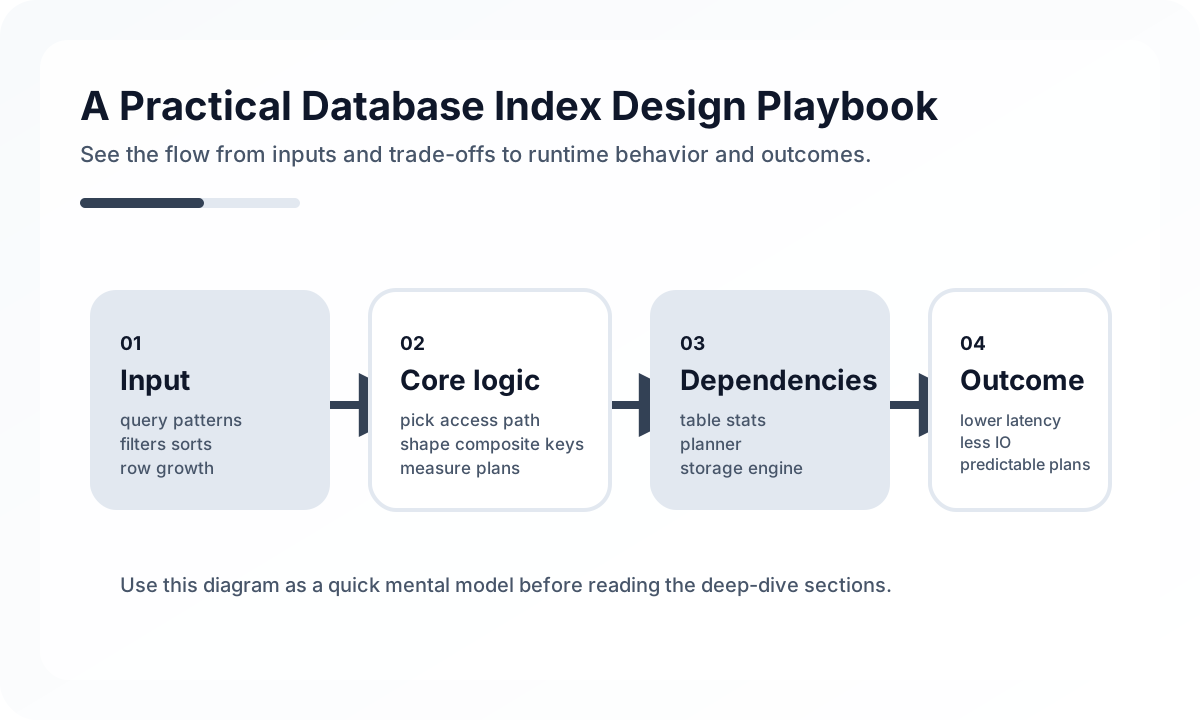
This guide focuses less on syntax and more on the practical review process you should use when deciding whether an index belongs in production.
Indexes Are Not Free
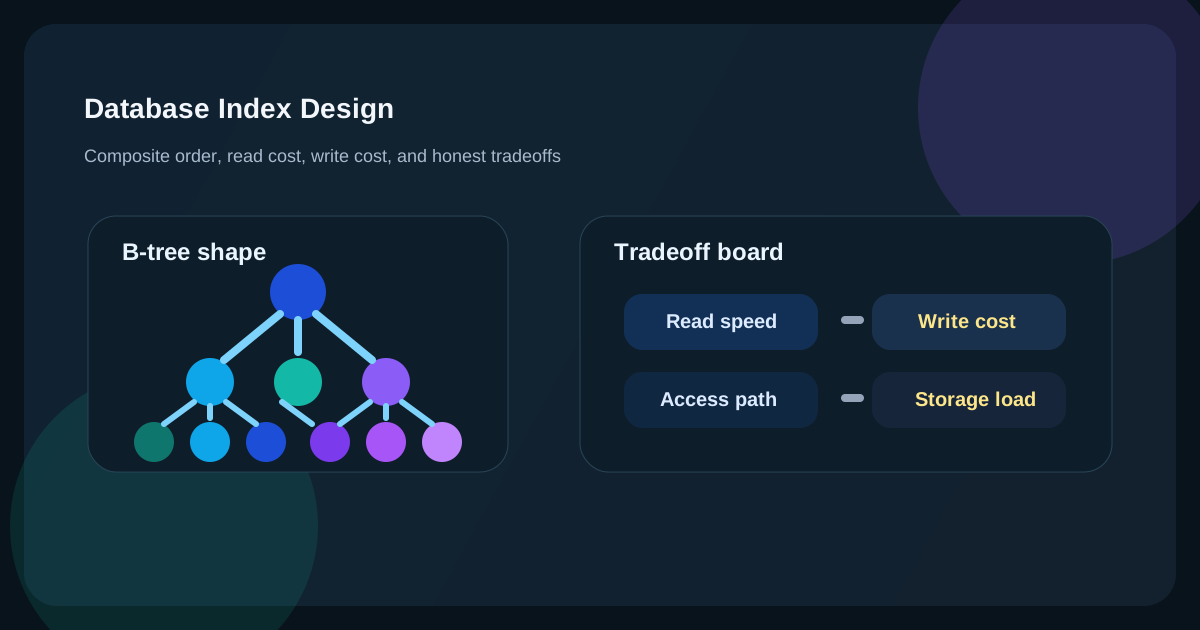
Indexes improve reads, but they also create cost:
- Every INSERT, UPDATE, and DELETE has to maintain them.
- They increase disk and memory usage.
- Poorly chosen indexes can confuse the optimizer instead of helping it.
- Too many overlapping composite indexes create maintenance debt.
That means every read gain must be weighed against write amplification. On stable, read-heavy systems, indexes are incredibly powerful. On append-heavy event tables or hot write paths, casually adding several indexes can become the bottleneck.
Start from Access Patterns, Not from Query Lines
The best index design starts from how the application is used.
[Screen / API]
   |
   +--> filter by status
   +--> filter by tenant_id
   +--> order by created_at desc
   +--> page size 20
   |
   v
[Representative Query]
   |
   v
[Index candidates]
A practical review flow looks like this:
- Pick the highest-traffic screens and APIs.
- Document their WHERE, JOIN, ORDER BY, and LIMIT patterns.
- Inspect the actual execution plan with
EXPLAINorEXPLAIN ANALYZE. - Evaluate candidate indexes against both read benefit and write cost.
This produces fewer redundant indexes than starting from isolated SQL snippets.
Composite Indexes Work from the Left
The basic rule is the leftmost prefix. An index on (tenant_id, status, created_at) is most useful when the query uses those columns from the front.
tenant_id = ?can use it well.tenant_id = ? AND status = ?can use it well.tenant_id = ? AND status = ? ORDER BY created_at DESCis even better.status = ?alone may not benefit much.
That makes column order critical. In practice you usually balance:
- equality predicates that appear almost always
- high-selectivity filters
- sorting requirements
But do not reduce this to a shallow rule like “always put the most selective column first.” In multi-tenant systems, tenant_id may deserve the leading position because it defines data isolation and shapes most queries, even if its selectivity is not the absolute highest.
Covering Indexes Are Powerful and Easy to Abuse
A covering index lets the engine satisfy the query using the index alone, avoiding additional table lookups. This is especially useful for list APIs and hot read paths.
CREATE INDEX idx_orders_tenant_status_created_cover
ON orders (tenant_id, status, created_at DESC)
INCLUDE (id, total_amount, customer_name);
But covering indexes become expensive when they grow too wide:
- larger index size
- higher write cost
- weaker cache efficiency
They should be reserved for frequently called, latency-sensitive queries, not used as a reflex.
Why Cardinality and Selectivity Matter
Low-cardinality columns such as status often make weak standalone indexes because they do not narrow the result set much. High-cardinality columns such as user IDs or order numbers usually have more direct indexing value.
But context matters:
- a standalone index on
statusmay be weak tenant_id + status + created_atmay be strong- even low-cardinality columns can be useful when combined with sort order, partial indexes, or partitioning strategy
Cardinality is not a verdict by itself. It is part of the larger question: how quickly can this access path eliminate rows?
What to Read in the Execution Plan
Without execution plans, index design becomes guesswork. At minimum, review:
- which table is read first
- whether the engine uses range scan or full scan
- whether estimated row counts are abnormally large
- whether filtering reduces rows enough
- whether sorting, temporary objects, or filesort dominate cost
Do not stop at “an index is being used.” A plan can still be slow if it reads too many rows through that index. The real question is how little data the engine had to touch.
Common Anti-Patterns
Many single-column indexes with the hope that the optimizer will combine them
Sometimes it will, often poorly. A representative composite index is usually better.
Designing only for WHERE and ignoring ORDER BY
For queries like ORDER BY created_at DESC LIMIT 20, avoiding extra sort cost may matter more than one additional filter.
Disabling indexes through functions and expressions
WHERE DATE(created_at) = '2026-04-18' is often worse than a proper range predicate.
Excessive overlapping indexes
You may not need all of (tenant_id), (tenant_id, status), and (tenant_id, status, created_at). Some are redundant.
Adding read indexes without measuring write impact
This is especially dangerous in high-ingest tables, batch-update jobs, and CDC pipelines.
Example: Operations List Query
SELECT id, customer_name, total_amount, created_at
FROM orders
WHERE tenant_id = :tenantId
  AND status = 'PAID'
ORDER BY created_at DESC
LIMIT 20;
This query has a clear shape:
- tenant boundary is mandatory
- status filter is mandatory
- newest-first sort is mandatory
- page size is small
That makes (tenant_id, status, created_at DESC) a strong default candidate. If the endpoint is hot and latency-sensitive, you can then decide whether covering the returned columns is worth the extra index width.
Operational Review Workflow
Indexes deserve a repeatable review flow, not ad hoc additions.
slow query detected
   -> collect representative SQL + bind values
   -> inspect execution plan
   -> estimate query frequency and p95 impact
   -> propose index or query rewrite
   -> estimate write amplification and storage cost
   -> deploy
   -> verify plan + latency + write metrics
Without this, most index additions eventually return as cleanup work.
Decision Checklist
- Is the target screen or API for this index explicitly known?
- Does the index support WHERE, JOIN, ORDER BY, and LIMIT together?
- Has the team reviewed the plan with representative bind values?
- Does the read improvement justify the write cost?
- Is the candidate redundant with existing indexes?
- Is there a clear reason for any low-cardinality standalone index?
- Would a covering index materially help this hot list query?
- Can the team verify plan stability and write latency after deployment?
Wrap-Up
The goal of index design is not to add many indexes. It is to use the minimum set of indexes that dramatically reduces read cost for representative access patterns while keeping write amplification under control. Good indexes do not emerge from intuition alone. They come from observing access patterns, reading execution plans, understanding data distribution, and reviewing operational cost as part of the design.
What Gets Hard in Production
- Index design fails when teams treat indexes as an afterthought added after queries are already slow in production.
- The hardest part is not syntax but matching workload shape, predicate order, and maintenance cost.
- Good indexes speed reads, but bad indexes quietly tax every write path.
Architecture Decisions That Matter
- Start from the highest-value query patterns and their filters, sort order, and selectivity.
- Design composite indexes to match real predicate order and access paths, not wishful generic reuse.
- Review write amplification, storage cost, and vacuum or maintenance impact before adding more indexes.
Practical Example
A composite index should follow the access path the workload actually uses:
query: WHERE tenant_id = ? AND status = ? ORDER BY created_at DESC
index: (tenant_id, status, created_at DESC)
Anti-Patterns to Avoid
- Adding single-column indexes everywhere and hoping the optimizer will rescue the plan.
- Ignoring covering needs and forcing unnecessary table lookups.
- Keeping old indexes forever after workload shape changes.
Operational Checklist
- Capture top slow queries with real frequency, not anecdotes.
- Review execution plans before and after index changes.
- Measure write cost and storage growth.
- Prune redundant or overlapping indexes regularly.
Final Judgment
Index design is workload design. The best index is not the cleverest one, but the one that matches the dominant query pattern without overtaxing writes.
Continue Reading
Related posts
Database Learning Path: Beginner to Advanced
A structured database roadmap from indexing and query basics to replication, partitioning, and schema-safe operations.
🗄️ DatabaseMySQL Index Optimization Strategies — Query Analysis with EXPLAIN
This post explains how MySQL indexes work and how to optimize them using EXPLAIN analysis. It covers composite indexes, covering indexes, and index hints with practical examples.
📈 TrendsPostgreSQL 18 Trends: What Actually Matters in Practice
PostgreSQL 18 is more than an upgrade headline. AIO, skip scan, better post-upgrade recovery, OAuth, and generated columns all point to a release focused on operational cost reduction.
🖥️ FrontendOptimizing Core Web Vitals: A Practical Guide to LCP, CLS, and INP
This guide explains Core Web Vitals not as a checklist, but from the perspective of perceived performance and rendering structure. It shows why LCP, CLS, and INP degrade, what to measure first, and how to optimize them in the right order.
Next Path